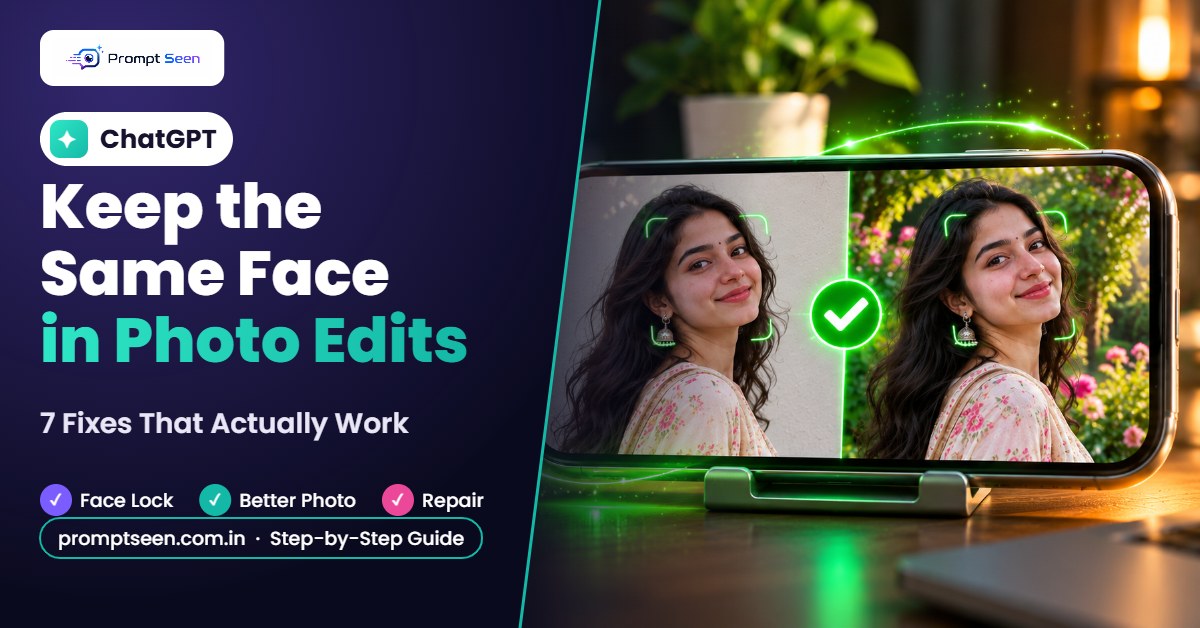
This keep same face ChatGPT guide solves the most common challenge with AI photo editing. You ask for a new background or outfit, and the result looks like someone else. This guide explains why that happens and gives you 35 copy-ready prompts to lock your identity, change only what you want, and repair a face that has drifted. You can find more guides like this on Prompt Seen.
Every prompt has a copy button. Upload your photo in ChatGPT, paste a prompt and compare the result with your original.
Why ChatGPT Sometimes Changes Your Face
ChatGPT does not edit pixels the way a normal photo editor does. It looks at your photo, understands what is in it, and then creates a new image based on that understanding and your instructions. When the instructions are big or vague, the model may redraw parts of your face along with everything else.
Big changes invite big redraws
Asking for a new background, new outfit, new pose and new lighting at once gives the model lots of freedom. More freedom means more chances for your eyes, nose or jaw to change.
Low-quality photos leave gaps
If your face is small, blurry or partly hidden, the model has to guess the missing details. Those guesses are where faces start to look different.
Long chats can drift
Each new edit is based on the last image, not always the original. After many edits, small changes add up, and the face slowly moves away from the real you.
Style edits change shape
Anime, cartoon and painting styles naturally change proportions. You can keep the face recognisable, but it will never be pixel-perfect in a strong art style.
Keep Same Face ChatGPT Rules: Five Steps That Work
Use a clear, front-facing photo with good light and your face large in the frame.
Start every prompt with a strong face lock describing your features.
Change one thing per message: background, outfit or lighting, not all three.
Say “only change” to limit what the model touches.
When the face drifts, go back to the original photo or start a new chat.
PRO TIPName your distinctive features in the face lock. If you have a dimple, a mole, a beard shape or glasses, mention them. Specific details give ChatGPT a checklist to protect.
How to Use These Prompts
Open ChatGPT and start a new chat.
Upload one clear photo of yourself.
Start with a Face Lock Starter prompt to test accuracy.
Use background, outfit or style prompts one at a time.
If the face changes, use a repair prompt from the list.
Download the result that looks most like you.
35 Prompts to Keep the Same Face in ChatGPT
Begin with the starter prompts, then move to background, outfit and style changes. Repair prompts are for fixing drift in the same chat.
Face Lock Starter Prompts
Begin every edit with a strong identity lock.
PROMPT 01ChatGPT
Basic Face Lock
Use my uploaded photo as the exact reference. Keep my face shape, eyes, nose, lips, skin tone, hairline and expression exactly the same. Only change what I ask for in the next sentence. Change the background to a plain light grey studio wall.
Best for: First test edit
PROMPT 02ChatGPT
Detailed Feature Lock
Use my uploaded photo as the exact reference. Keep my face shape, eyes, nose, lips, skin tone, hairline and expression exactly the same. Also keep my eyebrow shape, glasses, beard, moles and the gap in my smile. Change only the lighting to soft window light from the left.
Best for: Distinct features
PROMPT 03ChatGPT
Identity First Lock
The most important rule: the person must look exactly like me. Use my uploaded photo as the exact reference. Keep my face shape, eyes, nose, lips, skin tone, hairline and expression exactly the same. Change the outfit to a navy blazer and white shirt.
Best for: Outfit changes
PROMPT 04ChatGPT
Minimal Change Lock
Use my uploaded photo as the exact reference. Keep my face shape, eyes, nose, lips, skin tone, hairline and expression exactly the same. Make the smallest possible change: brighten the photo slightly and remove the yellow colour cast.
Best for: Subtle fixes
PROMPT 05ChatGPT
Proportion Lock
Use my uploaded photo as the exact reference. Keep my face shape, eyes, nose, lips, skin tone, hairline and expression exactly the same. Keep my body shape, height, shoulders and proportions realistic and unchanged. Change the background to a park.
Best for: Full-body edits
Background Change Prompts
Change the place, not the person.
PROMPT 06ChatGPT
Studio Backdrop
Use my uploaded photo as the exact reference. Keep my face shape, eyes, nose, lips, skin tone, hairline and expression exactly the same. Replace only the background with a soft grey studio backdrop, keep my lighting natural.
Best for: Profile pictures
PROMPT 07ChatGPT
Mountain Scene
Use my uploaded photo as the exact reference. Keep my face shape, eyes, nose, lips, skin tone, hairline and expression exactly the same. Replace only the background with snowy mountains under a clear sky, match the daylight on my face.
Best for: Travel edits
PROMPT 08ChatGPT
City Night
Use my uploaded photo as the exact reference. Keep my face shape, eyes, nose, lips, skin tone, hairline and expression exactly the same. Replace only the background with a city street at night with soft bokeh lights, keep my face naturally lit.
Best for: Night posts
PROMPT 09ChatGPT
Beach Sunset
Use my uploaded photo as the exact reference. Keep my face shape, eyes, nose, lips, skin tone, hairline and expression exactly the same. Replace only the background with a beach at sunset and add matching warm light on my face.
Best for: Holiday posts
PROMPT 10ChatGPT
Office Background
Use my uploaded photo as the exact reference. Keep my face shape, eyes, nose, lips, skin tone, hairline and expression exactly the same. Replace only the background with a modern office, softly blurred, cool daylight.
Best for: LinkedIn photos
PROMPT 11ChatGPT
Heritage Fort
Use my uploaded photo as the exact reference. Keep my face shape, eyes, nose, lips, skin tone, hairline and expression exactly the same. Replace only the background with an old sandstone fort at golden hour, warm side light.
Best for: Heritage edits
Outfit Change Prompts
Try clothes without changing your face.
PROMPT 12ChatGPT
Formal Suit
Use my uploaded photo as the exact reference. Keep my face shape, eyes, nose, lips, skin tone, hairline and expression exactly the same. Change only my clothing to a charcoal suit, white shirt and no tie. Keep my pose the same.
Best for: Formal looks
PROMPT 13ChatGPT
Saree
Use my uploaded photo as the exact reference. Keep my face shape, eyes, nose, lips, skin tone, hairline and expression exactly the same. Change only my clothing to a red silk saree with a gold border and simple jewellery. Keep my hairstyle the same.
Best for: Traditional looks
PROMPT 14ChatGPT
Kurta
Use my uploaded photo as the exact reference. Keep my face shape, eyes, nose, lips, skin tone, hairline and expression exactly the same. Change only my clothing to a cream kurta with subtle embroidery. Keep my beard and hair the same.
Best for: Festive looks
PROMPT 15ChatGPT
Leather Jacket
Use my uploaded photo as the exact reference. Keep my face shape, eyes, nose, lips, skin tone, hairline and expression exactly the same. Change only my clothing to a black leather jacket over a white tee.
Best for: Cool style
PROMPT 16ChatGPT
Winter Wear
Use my uploaded photo as the exact reference. Keep my face shape, eyes, nose, lips, skin tone, hairline and expression exactly the same. Change only my clothing to a wool coat and scarf, keep everything else the same.
Best for: Winter posts
Style and Art Prompts
Creative styles that still look like you.
PROMPT 17ChatGPT
Cinematic Grade
Use my uploaded photo as the exact reference. Keep my face shape, eyes, nose, lips, skin tone, hairline and expression exactly the same. Apply a cinematic teal and orange colour grade with soft contrast, no change to my face.
Best for: Cinematic edits
PROMPT 18ChatGPT
Black and White
Use my uploaded photo as the exact reference. Keep my face shape, eyes, nose, lips, skin tone, hairline and expression exactly the same. Turn the photo into black and white with deep contrast and visible skin texture.
Best for: Timeless edits
PROMPT 19ChatGPT
Anime Version
Use my uploaded photo as the exact reference. Keep my face shape, eyes, nose, lips, skin tone, hairline and expression exactly the same. Turn me into an anime-style character while keeping my face shape, eyes, hairstyle and features clearly recognisable.
Best for: Fun avatars
PROMPT 20ChatGPT
Watercolour Painting
Use my uploaded photo as the exact reference. Keep my face shape, eyes, nose, lips, skin tone, hairline and expression exactly the same. Turn this into a soft watercolour painting that still clearly looks like me.
Best for: Art prints
PROMPT 21ChatGPT
3D Cartoon
Use my uploaded photo as the exact reference. Keep my face shape, eyes, nose, lips, skin tone, hairline and expression exactly the same. Turn me into a 3D animated character, keep my real face shape, hairstyle and skin tone recognisable.
Best for: Avatars
Repair Prompts When the Face Changes
Use these in the same chat when a result drifts.
PROMPT 22ChatGPT
Restore My Face
The face in the last image does not look like me. Go back to my original uploaded photo and keep my exact face. Keep the new background and outfit.
Best for: Face drift
PROMPT 23ChatGPT
Fix the Eyes
Keep everything from the last image, but make the eyes match my original photo exactly: same shape, size, colour and spacing.
Best for: Eye changes
PROMPT 24ChatGPT
Fix the Nose and Lips
Keep everything from the last image, but restore my nose and lips to match my original photo exactly.
Best for: Feature changes
PROMPT 25ChatGPT
Fix Skin Tone
Keep everything from the last image, but restore my natural skin tone from the original photo. No lightening or darkening.
Best for: Skin tone shifts
PROMPT 26ChatGPT
Remove Beauty Filter
Keep everything from the last image, but remove any smoothing or beauty filter. Show natural skin texture like in my original photo.
Best for: Plastic look
PROMPT 27ChatGPT
Restore Hairline
Keep everything from the last image, but restore my hairline and hairstyle exactly as in my original photo.
Best for: Hair changes
Couple and Group Face Lock Prompts
Keep every person accurate.
PROMPT 28ChatGPT
Couple Lock
Keep both people’s faces, features, skin tones and expressions exactly the same as in the uploaded photo. Change only the background to a garden at sunset.
Best for: Couple edits
PROMPT 29ChatGPT
Family Lock
Keep every person’s face exactly the same as in the uploaded photo, including children and elders. Change only the background to a festive living room with diyas.
Best for: Family photos
PROMPT 30ChatGPT
Friends Lock
Keep every face in the group exactly the same. Change only the lighting to warm golden hour light.
Best for: Group photos
PROMPT 31ChatGPT
One Person Only
Keep everyone exactly the same. Change only the shirt of the person on the left to a white linen shirt.
Best for: Single-person changes
Pose and Angle Change Prompts
Changing pose is the riskiest edit. These prompts keep it controlled.
PROMPT 32ChatGPT
Small Head Turn
Use my uploaded photo as the exact reference. Keep my face shape, eyes, nose, lips, skin tone, hairline and expression exactly the same. Turn my head slightly to the left, about 15 degrees, keeping every facial feature identical. Do not change anything else.
Best for: Natural angles
PROMPT 33ChatGPT
Arms Crossed Pose
Use my uploaded photo as the exact reference. Keep my face shape, eyes, nose, lips, skin tone, hairline and expression exactly the same. Change only my arm position to arms crossed, keep my face, expression and outfit the same.
Best for: Confident poses
PROMPT 34ChatGPT
Sitting Version
Use my uploaded photo as the exact reference. Keep my face shape, eyes, nose, lips, skin tone, hairline and expression exactly the same. Show me seated on a simple wooden chair in the same outfit, same face and expression, plain background.
Best for: Seated portraits
PROMPT 35ChatGPT
Smile Adjustment
Use my uploaded photo as the exact reference. Keep my face shape, eyes, nose, lips, skin tone, hairline and expression exactly the same. Give me a slightly bigger natural smile without changing my teeth shape, eyes or face shape.
Best for: Friendlier photos
Choosing the Right Photo
Photo
Face accuracy
What to do
Clear, front-facing, daylight
Very high
Ideal choice
Side profile
Medium
Use a front-facing photo for edits
Sunglasses or mask
Low
Remove accessories
Small face in a wide shot
Low
Crop closer before uploading
Heavy filter
Medium
Use the unfiltered original
Group photo
Medium
Describe each person or crop
Face Lock Wording That Works
Weak wording
Stronger wording
Keep my face
Keep my face shape, eyes, nose, lips, skin tone and hairline exactly the same
Change the background
Replace only the background
Make it look better
Brighten slightly, keep natural skin texture
Make me look cool
Change only my outfit to a black leather jacket
Precise wording tells the model exactly what to protect and what to change. Vague wording gives it permission to improvise.
A Step-by-Step Example
Here is a keep same face ChatGPT walkthrough with several changes. Suppose you want a festive photo in a kurta, in a heritage courtyard, with warm evening light.
Upload your clearest photo and send the Basic Face Lock prompt with a plain grey background to test accuracy.
If the face looks right, send the Kurta outfit prompt in the same chat.
Next, send the Heritage Fort background prompt.
Finally, ask for warm evening light on the face.
If any step changes your face, use the matching repair prompt before continuing.
Doing this in four small steps rather than one long prompt gives ChatGPT less freedom to redraw your features at each stage, and you catch problems early instead of at the end.
Comparing Results Like a Pro
Put the original and the edit side by side and check the details that people recognise first: eye shape and spacing, nose width, lip shape, jawline, eyebrows and hairline. If any of these look different, use the matching repair prompt rather than starting a whole new edit.
Zoom in on the eyes; they change most often.
Check skin tone in neutral light, not just the overall colour of the image.
Look at the hairline and ears, which are easy to miss.
Ask a friend; they notice changes you might not.
Common Problems and Fixes
I look younger or older
Quick fix
Add “keep my exact age and skin texture” to the face lock.
My skin became lighter
Quick fix
Use the Fix Skin Tone repair prompt and add “do not lighten or darken my skin” to future prompts.
My body shape changed
Quick fix
Use the Proportion Lock prompt and say “keep my body realistic and unchanged”.
ChatGPT refuses to edit
Quick fix
Some edits are blocked by safety policies, especially edits of other people. Use your own photo and keep requests clear.
When to Switch Tools
Some edits are simply easier in other tools. If you need a near-identical face with only a lighting or background change, Gemini or Google Photos may need fewer attempts. If you want a creative scene, poster or strong outfit change, ChatGPT is often the better choice. Knowing when to switch saves time and frustration, and many creators use both depending on the edit.
Whichever tool you use, the same habits apply: a clear photo, a detailed face lock, one change at a time and careful comparison with the original.
Using Face-Accurate Edits Responsibly
Face-accurate edits are powerful. Only edit photos of yourself or people who have agreed, and never create images that could mislead people about where someone was or what they did. OpenAI explains image creation, editing and its policies in its guide to creating images in ChatGPT.
Save the face lock that works best for you and paste it at the start of every new edit. It is the simplest keep same face ChatGPT trick for all your photos.
Use a clear photo, start every prompt with a detailed face lock, change only one thing per message and use repair prompts when the face drifts.
Why does ChatGPT change my face?
ChatGPT creates a new image based on your photo and instructions. Big or vague changes, low-quality photos and long chats can all cause the face to change.
What is a face lock prompt?
It is a line at the start of a prompt that tells the AI to keep your face shape, eyes, nose, lips, skin tone and hairline exactly the same.
How do I fix a face that changed?
Use a repair prompt that asks ChatGPT to restore your exact face from the original photo while keeping the new background or outfit.
Can I keep faces the same in group photos?
Yes. Ask ChatGPT to keep every person’s face exactly the same and change only one element.
Is Gemini better at keeping faces?
Gemini often keeps faces very close, while ChatGPT is strong for creative scenes. Both work well with strong face locks.