Photo to Video AI Prompts: 35 Copy-Paste Ideas to Turn Still Images into Cinematic Instagram Reels
Photo to video AI prompts tell an image-to-video tool how a still picture should move: what the subject does, how the camera travels and what the atmosphere feels like. Upload one clear photo to a tool such as Gemini, Kling or Runway, paste a prompt that describes a single small motion and one camera move, and generate a short clip you can post as an Instagram Reel. The 35 original prompts below are grouped by photo type, with tips for keeping faces natural.

What makes a photo-to-video prompt work
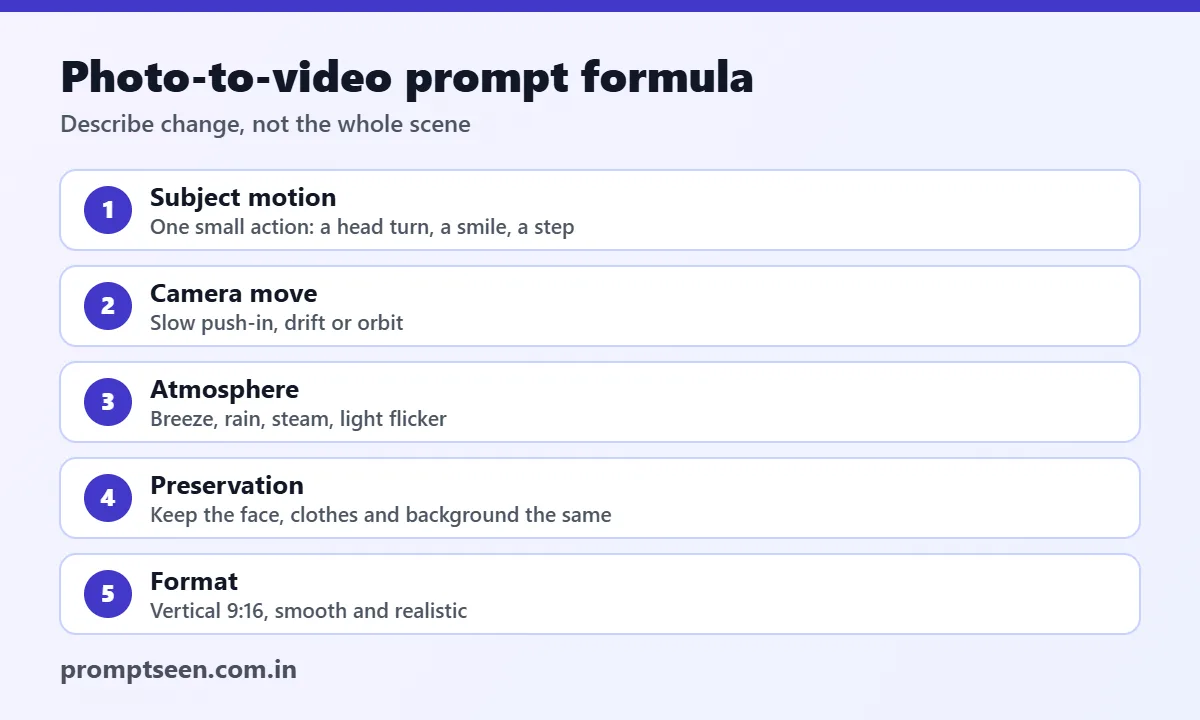
Image-to-video models already “see” your photo, so the prompt should not describe the whole scene again. It should describe change. The most reliable prompts follow a simple pattern:
| Element | What it controls | Example wording |
|---|---|---|
| Subject motion | What the person or object does | She slowly turns her head and smiles |
| Camera move | How the view changes | Slow push-in towards her face |
| Atmosphere | Environmental movement | Hair moves in a light breeze, dust in the sunlight |
| Preservation | What must not change | Keep her face and outfit exactly the same |
| Format | Shape and pace of the clip | Vertical 9:16, smooth, realistic |
Keep motion small. Asking for “dancing, running and the camera spinning around” in a short clip usually produces warped faces. One action and one camera move give the cleanest results. Google’s own photo-to-video tips for Gemini also recommend starting simple and adding detail gradually.
Photo to video AI prompts for portraits
Gentle head turn and smile
The person slowly turns their head towards the camera and breaks into a soft, natural smile. A gentle breeze moves a few strands of hair. Slow push-in camera. Keep the person’s face, body, clothes and the background exactly as in the photo. Vertical 9:16, smooth and realistic.
Golden hour hair breeze
Warm sunset light flickers across the person’s face as a light breeze lifts their hair. They blink slowly and look into the distance. Very slow camera drift to the right. Keep the person’s face, body, clothes and the background exactly as in the photo. Vertical 9:16, smooth and realistic.
Rain window portrait
Raindrops trickle down a window in front of the person while they look outside thoughtfully, then glance at the camera. Soft focus on the glass, gentle rack focus to the face. Keep the person’s face, body, clothes and the background exactly as in the photo. Vertical 9:16, smooth and realistic.
Saree pallu flow
The saree pallu flows softly in the wind as she adjusts it with one hand and smiles. Petals drift past in the foreground. Slow orbit of the camera from left to front. Keep the person’s face, body, clothes and the background exactly as in the photo. Vertical 9:16, smooth and realistic.
Confident walk start
The person takes two confident steps forward from a standing pose, fabric moving naturally, while the camera tracks backwards at the same speed. City lights blur in the background. Keep the person’s face, body, clothes and the background exactly as in the photo. Vertical 9:16, smooth and realistic.
Laughing candid
The person laughs naturally as if hearing a joke off camera, covering their mouth for a moment, then looks back at the lens. Handheld camera feel with slight movement. Keep the person’s face, body, clothes and the background exactly as in the photo. Vertical 9:16, smooth and realistic.
Eyes open reveal
Start with the person’s eyes closed; they slowly open their eyes and look directly at the camera as light brightens on their face. Locked-off camera, cinematic mood. Keep the person’s face, body, clothes and the background exactly as in the photo. Vertical 9:16, smooth and realistic.
Couple and family prompts
Couple forehead touch
The couple slowly lean in until their foreheads touch, both smiling with eyes closed. Fairy lights twinkle softly behind them. Slow push-in. Keep the couple’s faces, bodies, clothes and the background exactly as in the photo. Vertical 9:16, smooth and realistic.
Hand-holding walk
The couple start walking away from the camera hand in hand along a beach as small waves wash over the sand. Camera stays still as they move into the frame. Keep the couple’s faces, bodies, clothes and the background exactly as in the photo. Vertical 9:16, smooth and realistic.
Family group laugh
Everyone in the family photo laughs and leans slightly towards each other as if someone told a joke, with small natural head movements. Static camera, warm light. Keep every face, outfit and the background exactly the same. Vertical 9:16, realistic.
Grandparent and child
The grandparent gently strokes the child’s hair while the child looks up and smiles. Soft window light, slow push-in, peaceful mood. Keep both faces and the room exactly the same. Vertical 9:16, realistic.
Wedding photo come alive
The bride and groom glance at each other and smile, while flower petals fall slowly around them and the dupatta moves gently. Slow upward camera tilt. Keep both faces, outfits, jewellery and the background exactly the same. Vertical 9:16, realistic.
Travel and landscape prompts
Mountain clouds timelapse
Clouds drift quickly over the mountain peaks like a timelapse while the foreground stays still. Light shifts gently across the slopes. Slow push-in. Keep the landscape shapes exactly the same. Vertical 9:16, cinematic.
Beach waves and sunset
Waves roll onto the shore and pull back, the sun lowers slightly and the sky deepens in colour. Camera slowly moves forward along the sand. Keep the coastline exactly the same. Vertical 9:16, realistic.
City night traffic
Car headlights and tail lights stream along the road below, building windows flicker on and a light haze glows in the sky. Slow pan from left to right. Keep the buildings exactly the same. Vertical 9:16, cinematic.
Monsoon street
Light rain begins to fall, puddles ripple and a few umbrellas move in the background as the street shines with reflections. Static camera, moody tones. Keep the street layout exactly the same. Vertical 9:16, realistic.
Train window journey
The view outside the train window moves past steadily with fields and trees, while the window frame stays still. Warm afternoon light. Keep the window and interior exactly the same. Vertical 9:16, realistic.
Temple at dawn
Mist drifts slowly around the temple, a few birds fly across the sky and the first sunlight touches the top of the building. Slow upward tilt. Keep the temple architecture exactly the same. Vertical 9:16, serene.
Food and product prompts
Steaming chai
Steam rises gently from a cup of chai, a small spoon stirs once and stops. Soft morning light, very slow push-in. Keep the cup, table and background exactly the same. Vertical 9:16, realistic.
Sizzling street food
Oil sizzles on the tawa, small bubbles and steam rise from the food, and a hand flips it once. Handheld close-up feel. Keep the food and stall exactly the same. Vertical 9:16, realistic.
Product reveal turn
The product slowly rotates a quarter turn on a clean surface while a soft light sweep moves across it. Keep the label, logo, shape and colour unchanged. Locked camera, studio look, vertical 9:16.
Cake candle flicker
Candle flames flicker gently on the cake and a little wax melts down one candle. Warm party light, slow push-in. Keep the cake design and text exactly the same. Vertical 9:16, realistic.
Juice pour
Fresh juice pours into the glass from the top of the frame, creating small bubbles, then the pour stops. Bright natural light, static camera. Keep the glass and background exactly the same. Vertical 9:16, realistic.
Festival and Indian culture prompts
Diya flames on Diwali
Diya flames flicker softly, sparklers in the background crackle and the person holding a diya smiles gently. Slow push-in, warm festive glow. Keep the person’s face, body, clothes and the background exactly as in the photo. Vertical 9:16, smooth and realistic.
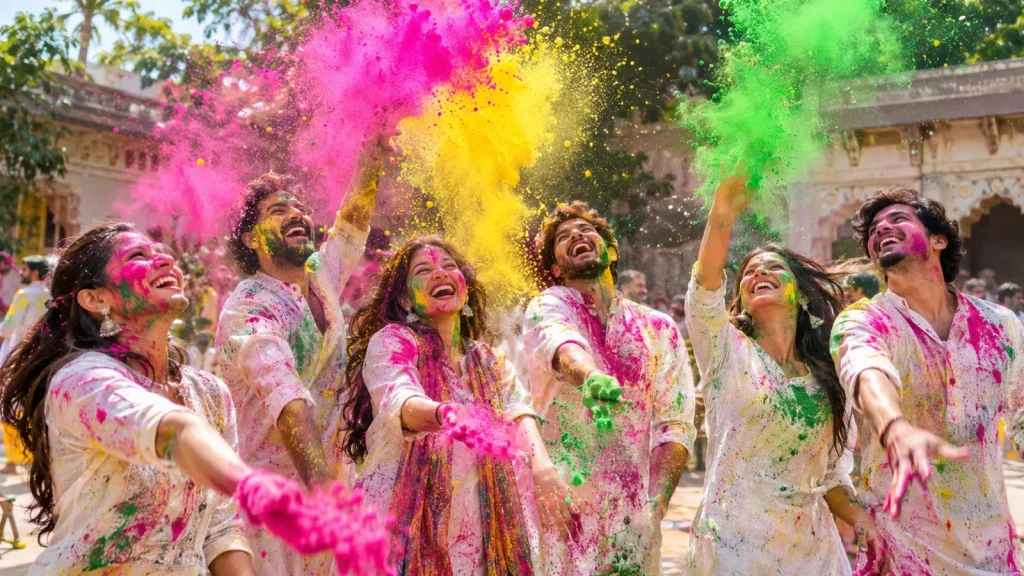
Holi colour burst
A puff of pink and yellow gulal bursts into the air around the person, who laughs and turns slightly. Slow-motion feel, bright daylight. Keep the person’s face, body, clothes and the background exactly as in the photo. Vertical 9:16, smooth and realistic.
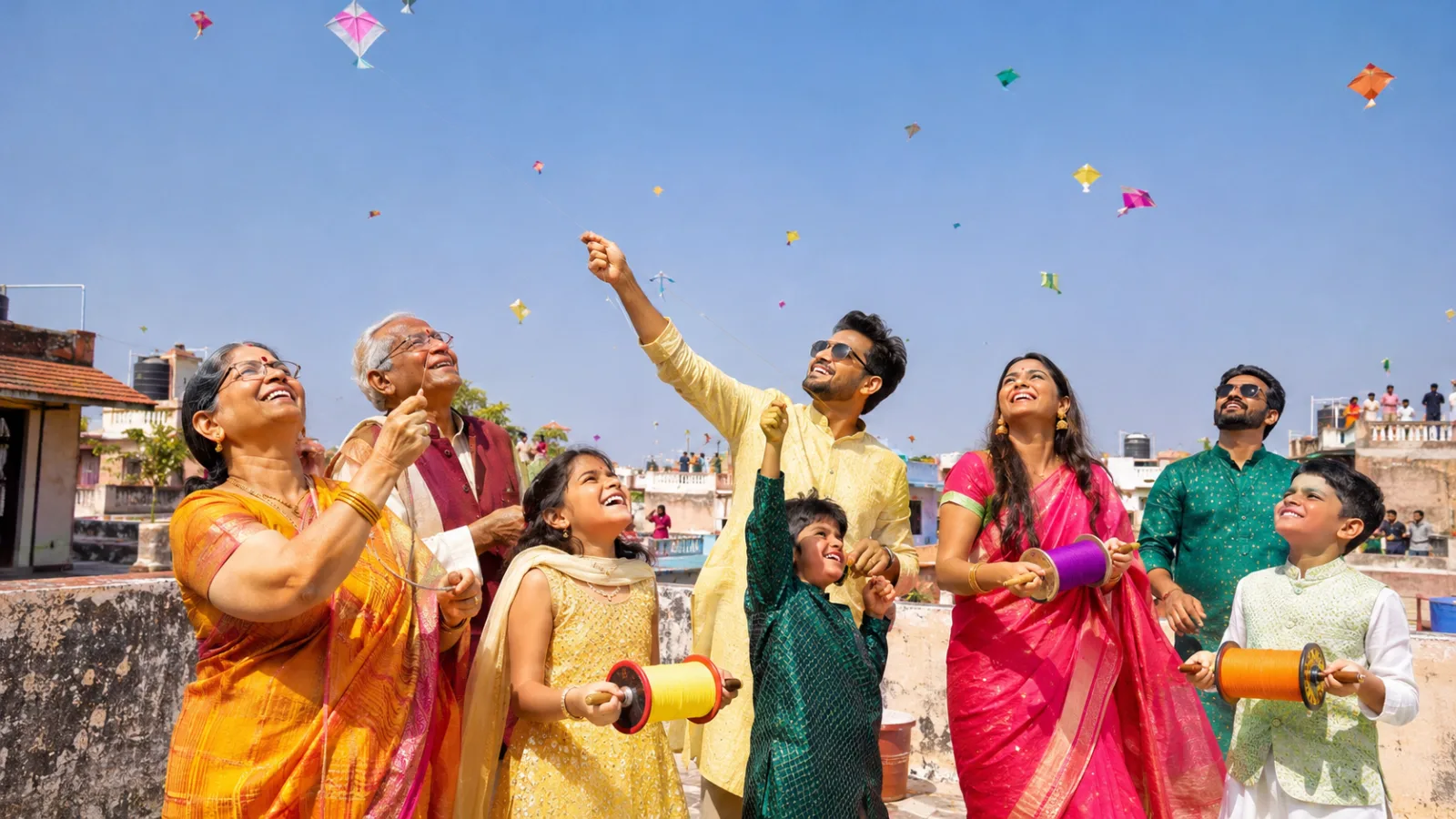
Kite on Makar Sankranti
The kite in the sky sways and climbs in the wind while the person on the rooftop pulls the string slightly. Camera slowly tilts up to the kite. Keep the person’s face, body, clothes and the background exactly as in the photo. Vertical 9:16, smooth and realistic.
Garba twirl
The person begins a gentle garba twirl, the chaniya choli flaring outward naturally, with festival lights glowing behind. Static camera, slow motion. Keep the person’s face, body, clothes and the background exactly as in the photo. Vertical 9:16, smooth and realistic.
Wedding mehndi hands
The hands with mehndi move slightly closer together, bangles shifting and catching the light, while flower petals drift down. Macro close-up, gentle focus pull. Keep the mehndi design exactly the same. Vertical 9:16, realistic.
Pets and nature prompts
Dog head tilt
The dog tilts its head curiously, ears moving slightly, then wags its tail. Static camera, natural light. Keep the dog’s fur colour and face exactly the same. Vertical 9:16, realistic.
Cat slow blink
The cat slowly blinks at the camera, whiskers twitching, as sunlight moves across the window sill. Very slow push-in. Keep the cat exactly the same. Vertical 9:16, realistic.
Flower bloom
The flower petals open slightly as a small bee lands and flies away. Soft morning light, macro close-up. Keep the flower colour and shape exactly the same. Vertical 9:16, realistic.
Creative and cinematic prompts
Painting comes alive
Turn this photo into a moving oil painting: brush strokes shimmer, clouds drift and the subject blinks slowly, while the painted texture stays visible. Slow push-in. Keep the composition the same. Vertical 9:16.
Old photo memory
Bring this old family photo gently to life: subtle smiles, a slight head movement and soft film grain, like a memory replaying. Static camera, warm faded tones. Keep every face exactly as in the photo. Vertical 9:16.
Parallax depth effect
Create a 3D parallax effect where the camera moves slowly sideways, separating the person in the foreground from the background, with no other motion. Keep the person’s face, body, clothes and the background exactly as in the photo. Vertical 9:16, smooth and realistic.
Cinematic dolly zoom
Apply a slow dolly zoom: the camera moves forward while the background appears to stretch behind the person, creating a dramatic film effect. The person stays still with a calm expression. Keep the person’s face, body, clothes and the background exactly as in the photo. Vertical 9:16, smooth and realistic.
Which tool should you use?
All three tools named in these prompts can turn a single image into a short clip. They differ in clip length, credits, controls and how strictly they keep faces. Rather than relying on rankings that change every few months, run the same prompt and photo in two tools and compare.
| What to compare | Why it matters |
|---|---|
| Face consistency | Some models slightly change facial features during motion |
| Clip length | Longer clips give more room but take more credits |
| Sound | Some tools add audio automatically; you may want to replace it |
| Free limits | Free tiers often cap daily generations or add watermarks |
| Export quality | Check the resolution before you post on Reels |
Turning AI clips into a finished Instagram Reel
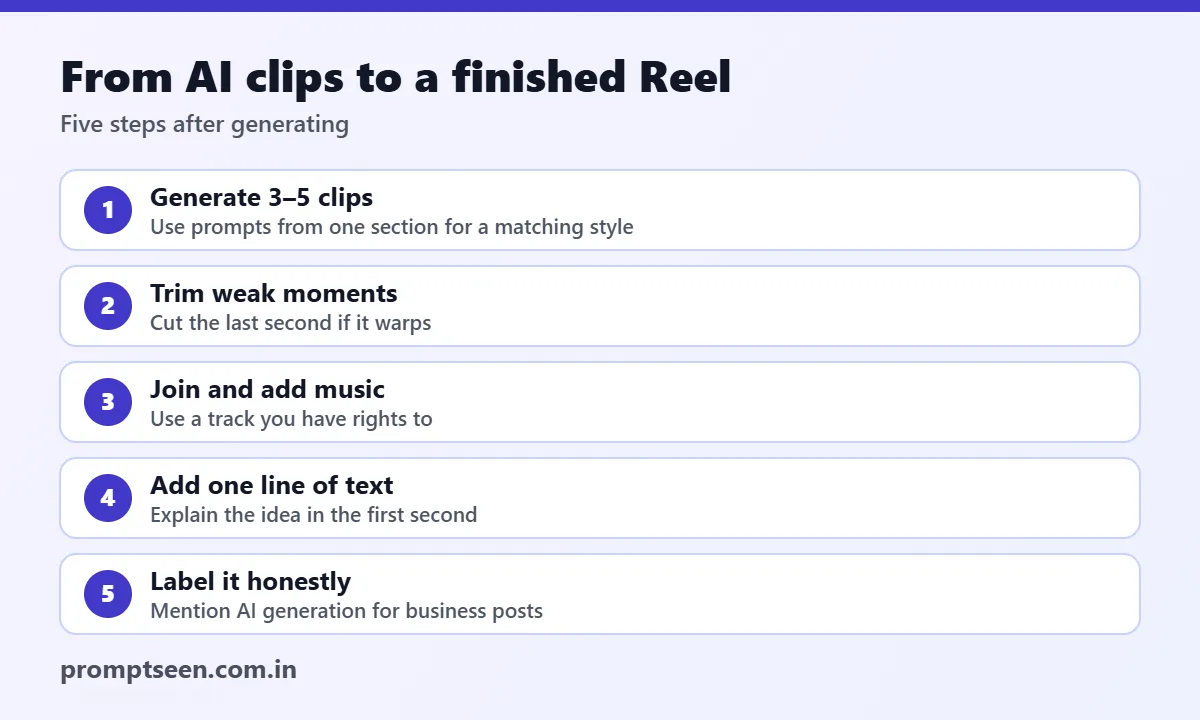
- Generate three to five clips from different photos using prompts from the same section, so the style matches.
- Trim the weak moments. Many clips warp slightly in the last second; cut it.
- Join them in an editor and add music from Instagram’s library or a track you have rights to.
- Add one line of text at the start to explain the idea, such as “Our wedding photos, now moving”.
- Label it honestly if you post it for business: make it clear the motion was AI-generated.
If you prefer starting from words instead of photos, see our guide to making a reel from a text prompt. For trending visual effects on photos, our viral photo effect guide covers a different set of techniques.
Troubleshooting
| Problem | Try this |
|---|---|
| The face changes during motion | Reduce motion to a blink or small smile, and use a camera move such as a slow push-in. |
| Hands look strange | Remove hand actions from the prompt or crop hands out of the photo. |
| Background warps | Add “keep the background still” and avoid fast camera moves. |
| Too much movement | Use words like “slowly”, “gently” and “subtle”. |
| Clip looks low quality | Start with a higher-resolution photo and check the tool’s export settings. |
FAQs
Can I turn any photo into a video with AI?
Most clear photos work. Blurry, very dark or heavily filtered photos give weaker results, and some tools restrict photos of children or public figures.
Is photo-to-video free?
Several tools offer limited free generations, but longer clips and higher quality usually need credits or a paid plan.
How long are the clips?
Usually a few seconds per generation. You can join several clips in an editor for a longer reel.
Can I use these prompts in Hindi?
You can try, but English prompts tend to follow camera and motion instructions more precisely in most tools.
Is it okay to animate someone else’s photo?
Only with their permission. Do not animate photos in a way that could embarrass or mislead people.
Conclusion
Pick a clear photo, describe one gentle movement and one camera move, and protect the face with a preservation line. Start with the portrait or landscape prompts above, compare results in two tools, and edit your best clips into a reel with music and a short caption.