CapCut 5 Photo Template: 35 Ideas to Make a Short Story Montage
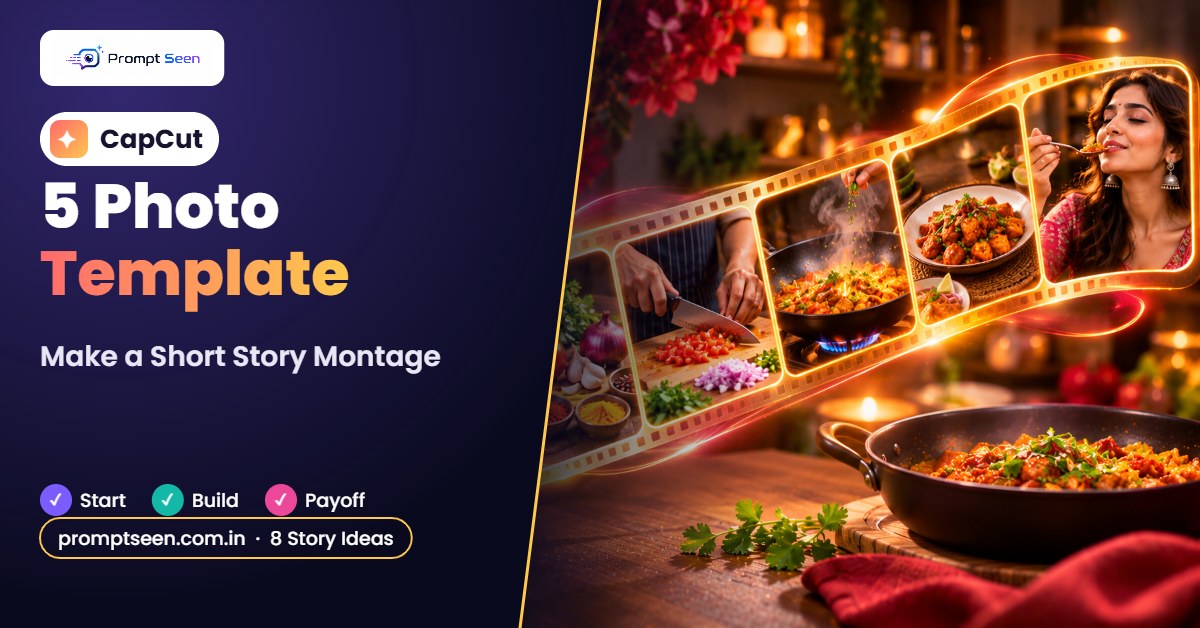
A CapCut 5 photo template gives you just enough slots to tell a complete short story: a beginning, a build, a peak and an ending, all in about ten to fifteen seconds. This guide gives you 35 copy-ready ideas for story montages, beat edits, aesthetic series, collage layouts, occasions, business promos and personal growth reels, plus a simple structure that makes every five photo montage feel intentional.
Each idea has a copy button. Use it as a prompt in AI tools or as a recipe in any editor.
Whether you are summarising a trip, celebrating a birthday or showing progress, five photos are often all you need.
Why Five Photos Make a Great Montage
Five photos sit in a sweet spot. Three can feel too brief to tell a story, while ten can feel like a photo dump. Five photos let you show a setting, introduce people, build action, reach an emotional peak and close neatly. That is why short story montages with five photos are so popular for trips, events and personal milestones.
Montage is storytelling
In film, a montage compresses time by showing a sequence of short shots. A five photo reel does the same, turning hours or years into seconds while keeping the story clear.
Ten to fifteen seconds is ideal
Five photos at two to three seconds each give a reel of ten to fifteen seconds, long enough to feel complete and short enough to be watched again.
Five photo reels for every creator
Travellers use five photo montages to summarise trips. Families use them for birthdays and festivals. Small businesses use them to tell a quick brand story. Students use them for farewells and graduations. Because the format is short but complete, it suits almost every type of creator and occasion, and it is one of the easiest ways to post consistently without long editing sessions.
If you are new to editing, five photos are also a great place to learn. You can experiment with timing, transitions and music without being overwhelmed by too many slots.
The Five Photo Story Structure
| Photo | Role | Example |
|---|---|---|
| 1 | Setting | The place, venue or starting point |
| 2 | Character | You, your friends or the main subject |
| 3 | Action | Something happening: travel, dance, work |
| 4 | Emotion | A laugh, a hug, a moment of awe |
| 5 | Ending | Best photo, result or goodbye |
This simple structure works for almost any topic. Fill each role with the best photo you have, and your montage will feel like a story rather than a random collection.
If a photo does not fit any role, leave it out. A tighter five-photo story is always stronger than squeezing in a weak image.
How to Use These Five Photo Ideas
- Choose five photos that match the five story roles.
- Pick an idea below and a song that builds over 10 to 15 seconds.
- Use the prompt in an AI tool or a template with five slots.
- Place photos in story order with the best one last.
- Add a short caption and one colour look.
- Export at 1080p.
35 CapCut 5 Photo Template Ideas
Ideas are grouped by style. Each one explains photo order, timing, effects and text.
Five-Act Story Montage Prompts
A complete story in five pictures.
Beat Sync Five Photo Prompts
Energy and rhythm.
Aesthetic Five Photo Prompts
Soft and beautiful.
Collage and Layout Five Photo Prompts
Creative arrangements.
Occasion Five Photo Prompts
Perfect for special days.
Business Five Photo Prompts
Short promos that tell a brand story.
Personal Growth Five Photo Prompts
Show change and progress.
Family and Friends Five Photo Prompts
Warm montages about the people you love.
Walkthrough: A 12-Second Trip Montage
Step 1: Pick five travel photos
Choose a departure photo, a journey shot, the destination, your favourite moment and a final view.
Step 2: Choose a building song
Select a light, uplifting song and find a 12-second section that rises to a peak.
Step 3: Time the photos
Hold the first two photos for about three seconds each, the next two for two seconds, and end with the final view held through the peak.
Step 4: Add transitions
Use soft light leaks between photos and a gentle zoom on each.
Step 5: Title and export
Add the place name in minimal text on the last photo, apply a warm grade and export.
Try this walkthrough with photos from your last outing and you will see how quickly a story comes together.
Choosing the Right Five Photos
Selecting photos is where a montage succeeds or fails. Lay out ten to fifteen candidates and pick the five that best fill the story roles. Look for variety in framing, from wide shots to close-ups, and variety in emotion, from calm to joyful. If two photos feel similar, keep the sharper one and look for a different moment to replace the other.
Consistency matters too. Photos taken on the same day or in similar light blend naturally. If you mix old and new photos, a consistent colour look helps them sit together.
Using Five Photos With Video Clips
Many templates let you mix photos and short video clips. Replacing one or two photos with three-second clips, such as a laugh, a spin or a wave, adds life to a montage. Put moving clips in the action or emotion slots, where movement adds the most impact.
The same structure works for a weekend trip, a family wedding or a product launch; only the photos and music change.
Number your five photos before editing so the order is clear.
Timing Guide
| Style | Seconds per photo | Total length |
|---|---|---|
| Story montage | 2 to 3 | 10 to 15 seconds |
| Beat edit | 1 to 2 | 6 to 10 seconds |
| Aesthetic | 3 | About 15 seconds |
| Business promo | 2 | About 10 seconds |
Making a CapCut 5 Photo Template Your Own
Five photo templates are used by thousands of creators, so make yours personal with real moments, a caption that reflects your feelings and a consistent colour look. Changing the order of photos to fit your story, rather than following the template’s default, also makes a big difference.
Editing Details for Smooth Montages
Use one transition style throughout, such as soft dissolves for emotional montages or quick cuts for energetic ones. Give each photo a gentle zoom of about five percent so the montage never feels static. Keep captions to one line and place them where they will not cover faces. Finally, hold the last photo slightly longer than the others so the ending can land.
| Montage mood | Transition | Motion |
|---|---|---|
| Emotional | Soft dissolve or light leak | Slow zoom in |
| Energetic | Quick cut or flash | Zoom punch |
| Aesthetic | Fade or slide | Gentle drift |
| Business | Clean cut or slide | Minimal motion |
When in doubt, watch your montage with the sound off. If the story still makes sense from the photos alone, the order is right; if not, rearrange until it does.
Common Problems and Fixes
Story feels random
Quick fix
Use the five-role structure: setting, character, action, emotion, ending.
Music ends too early or late
Quick fix
Adjust photo durations so the final photo lands on the musical peak.
Photos look different
Quick fix
Apply one colour look to all five photos.
Faces cropped badly
Quick fix
Adjust the crop in each slot or choose a portrait-friendly template.
A Weekly Montage Plan
| Day | Idea | Theme |
|---|---|---|
| Monday | Learning Journey | Growth |
| Wednesday | A Day in Five Moments | Lifestyle |
| Friday | Two Plus Three Drop | Weekend energy |
| Sunday | Family Through the Years | Family |
Posting four montages a week is manageable and keeps your audience engaged with a mix of personal, fun and meaningful stories.
Small, consistent effort beats occasional long edits, and the five photo format makes that consistency easy.
The Art of Montage
Montage is one of the oldest and most powerful techniques in filmmaking, used to show the passage of time or build emotion through a sequence of images. The Wikipedia article on montage explains how filmmakers developed it, and the same ideas apply to your five photo reels.
Montages are a simple way to turn ordinary photos into stories people want to watch. Keep the five roles in mind, let the music guide your timing and end on your best photo every time. Save the montages that perform well and reuse their structure with new photos for future occasions.
More Photo Template Guides
For shorter reels, see the CapCut 3 photo template. For bigger photo dumps, try the CapCut 10 photo template, and for one photo, the CapCut photo template.
Pick five photos from a recent day out, follow the story structure and create your first montage today. With practice, the CapCut 5 photo template becomes one of the quickest ways to tell a complete story.
Related Guides
Frequently Asked Questions
What is a CapCut 5 photo template?
It is a ready-made edit with five photo slots, ideal for short story montages of 10 to 15 seconds.
How should I order five photos?
Use setting, character, action, emotion and ending, with your best photo last.
Is CapCut available in India?
CapCut has not been officially available on Indian app stores since 2020. Alternatives include Instagram Edits, VN, InShot and Canva.
How long should each photo stay on screen?
Two to three seconds per photo works well for story montages.
Can I use five photos for a business reel?
Yes. Tell a mini story: problem, product, feature, customer and offer.
What music suits five photo montages?
Songs that build gradually to a peak work best.