12 Gemini Festival Photo Prompts for Diwali, Holi and Navratri
Festival photos are the ones people actually post. With Google Gemini you can turn a normal selfie into a Diwali, Holi or Navratri picture in a few seconds. You do not need a photoshoot, lights or props.
Below are 12 Gemini festival photo prompts: four each for Diwali, Holi and Navratri. Each one sets a different scene. Paste the face-lock line first so you still look like you.
Before you start: the face-lock line
Gemini sometimes redraws the face when it changes the background and clothes. Starting with this line makes that much less likely:
Use the uploaded photo as the reference. Keep the face, facial features, skin tone, age, hairstyle and expression exactly the same.How to use these prompts
- Open Gemini (app or gemini.google.com) and start a new chat.
- Upload one clear photo. A front-facing photo with even light works best.
- Paste the face-lock line, then one festival prompt below.
- If the result is close but not right, reply with one change, such as “warmer light” or “fewer fireworks”.
- Download and share. Gemini adds a small watermark to edited images.
Diwali photo prompts
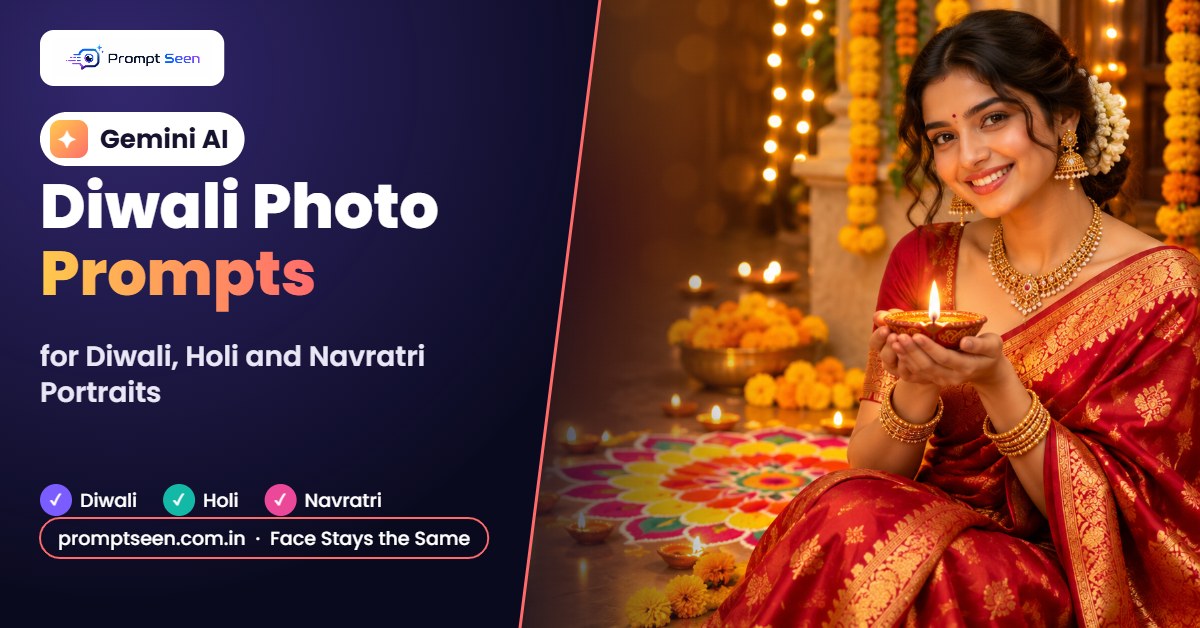
1. Diya-lit doorway
Place the person at the doorway of a house decorated with rows of lit clay diyas and a marigold toran. Warm evening light from the diyas falls on the face. Red or maroon festive outfit. Soft golden bokeh behind.2. Rangoli on the floor
Show the person sitting beside a colourful rangoli made of flower petals and powder, holding a single lit diya in both hands. Shot from slightly above, warm and joyful mood.3. Balcony with fairy lights
Put the person on a balcony at night with strings of warm fairy lights and a sky with distant fireworks. Ethnic outfit, candid smile, light from the side.4. Family puja corner
Show the person in front of a small home temple decorated with flowers and lit diyas, hands folded, calm expression, soft light, traditional silk outfit.Holi photo prompts
5. Colour powder splash
Add bright pink, yellow and green Holi colour on the face and white kurta, with a cloud of colour powder in the air behind. Daylight, laughing candid moment.6. Water balloon fun
Show the person mid-laugh with water droplets and splashes of coloured water around them, wet hair, bright sunny courtyard.7. Pastel Holi portrait
A soft portrait with pastel pink and blue gulal on the cheeks, plain light background, gentle smile, close-up framing for a profile photo.8. Friends in the street
Place the person in a colourful street celebration with blurred friends throwing colour in the background. Keep the person sharp and in focus.Navratri and Garba photo prompts
9. Garba twirl
Show the person in a mirror-work chaniya choli (or kediyu for men) mid-twirl with dandiya sticks, festival lights and a blurred crowd behind, motion in the skirt.10. Dandiya night
Place the person at a dandiya night under a canopy of string lights, holding decorated dandiya sticks, bright colourful outfit, happy expression.11. Durga pandal visit
Show the person standing in front of a beautifully lit Durga pandal at night, wearing a red-bordered white saree or kurta, respectful pose.12. Nine colours look
Dress the person in an outfit in the Navratri colour of the day, for example royal blue, with matching bangles and a soft festive background.Tips for festival edits that look real
| Problem | Add this to the prompt |
|---|---|
| Fire or diya light looks flat | warm orange light from the diyas falling on the face and hands |
| Outfit looks plastic | real silk fabric texture with natural folds |
| Colours look fake on Holi | realistic powder texture, some colour on clothes and hair |
| Too many people in the frame | background people softly blurred, the person stays the main subject |
For family or couple photos, upload a photo with everyone in it and add “keep every person’s face the same”. Edits with more people change faces more often, so keep the request simple.
Related guides
- 20 Gemini AI photo editing prompts
- How to keep your face unchanged in Gemini
- Meta AI festival image prompts
Frequently Asked Questions
Can Gemini make Diwali photos from my selfie?
Yes. Upload your selfie in Gemini, paste a face-lock line and a Diwali prompt describing the diyas, outfit and light you want.
How do I stop Gemini from changing my face in festival edits?
Start the prompt with “Keep the face, facial features, skin tone and expression exactly the same” and change only the background and outfit.
Do these prompts work in ChatGPT?
Yes. You can paste the same prompts into ChatGPT. Results differ slightly because the image models are different.
Can I edit a family photo for Navratri or Diwali?
Yes, but keep the request simple and add “keep every person’s face the same”. Group edits change faces more often than solo photos.
Is Gemini photo editing free?
Yes, with a free Google account, within daily limits. Paid Google AI plans give higher limits.