CapCut Travel Template: 35 Ideas to Turn Trip Clips Into a Cinematic Reel
A CapCut travel template turns the random clips on your phone into a travel reel that feels like a short film, with music, transitions and pacing that bring back the feeling of the trip. This guide gives you 35 copy-ready ideas for cinematic recaps, beat-synced montages, destination styles, food and culture, travel guides, trips with people and road trips, plus filming and editing tips for better travel reels. For more free prompts and editing guides, visit the Prompt Seen home page.
Each idea has a copy button. Use it as a prompt in AI tools or as a recipe in any editor.
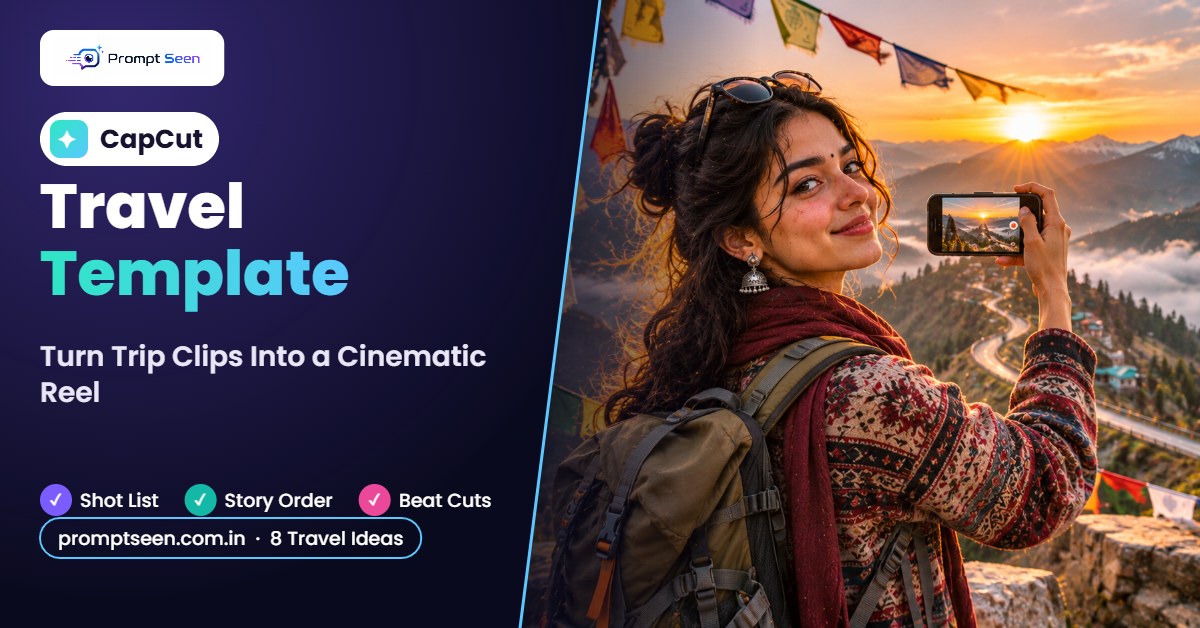
From weekend getaways to once-in-a-lifetime journeys, these ideas work for every kind of trip.
Why Travel Reels Work So Well
Travel content is inspiring, beautiful and easy to share. A good travel reel captures the feeling of a place in seconds: the light, the food, the people and the sense of adventure. It also becomes a personal memory you will revisit for years. Templates help you turn dozens of unorganised clips into a reel with structure and rhythm.
Clips need a story
Most people come home with many short clips but no plan. Arranging them as a story, arrival, exploration, highlight and goodbye, turns them into something people want to watch.
Music sets the feeling
Calm acoustic music suits slow travel and mountains, while upbeat tracks suit beaches, cities and road trips. Choose music that matches how the trip felt.
Travel reels for every traveller
Whether you take one big trip a year or short weekend getaways, travel reels help you share and remember. Backpackers can show adventure and budget tips, families can capture holidays with kids and grandparents, couples can create romantic memories and solo travellers can share personal reflections. Each type of traveller suits a different style, and this guide includes ideas for all of them.
Indian destinations offer incredible variety, from Himalayan passes to Kerala backwaters, Rajasthan forts and Goa beaches. Matching your edit style to the destination, calm for mountains, vibrant for beaches, warm for heritage, makes your reel feel authentic to the place.
Choosing a Travel Template
| Trip type | Template style | Music |
|---|---|---|
| Mountains | Slow, cinematic | Acoustic, ambient |
| Beach | Bright, energetic | Upbeat, summery |
| City | Fast, beat-synced | Pop, electronic |
| Heritage | Warm, elegant | Traditional, orchestral |
| Road trip | Mixed pace | Indie, rock |
How to Use These Travel Ideas
- Collect your clips and photos and delete blurry or repeated ones.
- Pick an idea that matches your trip and goal.
- Use the prompt in an AI tool or a travel template with similar pacing.
- Arrange clips as a story and place the best shot at the musical peak.
- Apply one colour look and add a location title.
- Export at 1080p.
35 CapCut Travel Template Ideas
Ideas are grouped by style. Each one describes structure, pacing, colour and text.
Cinematic Trip Recap Prompts
Turn random trip clips into a short film.
Beat-Synced Travel Prompts
Energy and rhythm for adventure trips.
Destination Style Prompts
Edits matched to the place.
Food and Culture Travel Prompts
Taste and traditions on the road.
Travel Guide Reel Prompts
Useful reels people save.
Travel With People Prompts
Friends, family and partners.
Road Trip Reel Prompts
The journey is the destination.
Seasonal Travel Prompts
Trips shaped by the weather.
Walkthrough: A 25-Second Trip Recap
Step 1: Choose twelve clips
Pick a travel shot, a wide landscape, two detail clips, two food clips, people moments, your favourite view and a goodbye shot.
Step 2: Pick music
Choose a song that builds and find a 25-second section with a peak near the end.
Step 3: Arrange and cut
Start with the travel shot and location title, alternate wide and close shots and place your favourite view on the peak.
Step 4: Transitions and grade
Use whip pans for moving shots and light leaks for calm moments. Apply a warm teal and orange look.
Step 5: Export
Export at 1080p and post with the location tagged.
If the trip was long, consider a 45 to 60 second version for YouTube and a 20-second version for Instagram, both from the same edit.
Save your favourite travel template so every trip reel shares the same style.
Filming Tips for Travel Reels
- Film at golden hour for warm, flattering light.
- Record movement: walking, driving, waves and people.
- Capture details: food, signs, hands, textures.
- Hold each shot steady for at least three seconds.
- Shoot a few clips of yourself to add a personal touch.
- Record at 60 fps so you can slow down key moments.
Organising Clips After a Trip
The biggest challenge after a trip is the sheer number of clips. Spend ten minutes sorting before you edit. Create an album for the trip, delete blurry or duplicate clips and mark your favourites. Group clips by day or location. This simple step makes editing much faster and helps you see the story of the trip clearly.
- Delete obvious duplicates and blurry clips first.
- Mark three to five “hero” shots that must be in the reel.
- Group remaining clips by day, location or theme.
- Note any audio worth keeping, such as waves or temple bells.
- Keep a few photos too; they work well between clips.
Making Multiple Reels From One Trip
One trip can produce several reels. Make a short cinematic recap first, then a food reel, a guide reel with tips and costs and a personal reel about how the trip felt. Posting them over a week or two keeps your content fresh and gives each part of the trip the attention it deserves.
| Reel | Focus | When to post |
|---|---|---|
| Cinematic recap | Overall feeling | Within two days |
| Food tour | Local dishes | A few days later |
| Travel guide | Tips, itinerary, costs | The following week |
| Personal story | Emotions and lessons | Later, as a throwback |
Spreading reels out like this also keeps your followers interested in the destination for longer and gives the trip a bigger presence on your profile.
Colour Looks for Travel Reels
| Look | Best for |
|---|---|
| Teal and orange | Beaches, cities, road trips |
| Soft film | Mountains, slow travel |
| Warm golden | Heritage and desert trips |
| Bright clean | Food and markets |
| Moody blue | Rainy or winter trips |
Making a CapCut Travel Template Your Own
Popular travel templates are used by thousands of travellers. Make yours unique with local details only you captured, a personal caption about how the trip felt and a colour look that matches your profile. Your perspective on a place is what viewers come back for.
Editing Details for Travel Reels
Use natural sounds, such as waves, birds or street chatter, under the music at a low volume to make the reel feel immersive. Match transitions to camera movement: if one clip pans right, start the next clip with movement in the same direction. Add a small location label in the corner the first time a new place appears, and keep text minimal so the scenery stays the star.
Keep your phone lens clean on trips; dust and fingerprints are a common cause of hazy travel clips.
Common Problems and Fixes
Reel feels random
Quick fix
Arrange clips as a story: arrival, exploration, highlight, goodbye.
Shaky footage
Quick fix
Use stabilisation and keep clips short.
Colours inconsistent
Quick fix
Apply one colour look across all clips.
Too long
Quick fix
Keep travel reels between 15 and 30 seconds for social media.
Posting Tips for Travel Reels
- Tag the location so people searching for the place can find your reel.
- Write a caption with one useful tip, such as the best time to visit.
- Post within a few days while the trip is fresh in your mind.
- Reply to questions in comments; travel viewers often ask for details.
Responsible Travel Content
Respect local customs, ask permission before filming people up close and follow rules at religious and protected sites. Avoid sharing your live location while travelling. Travel vlogging has grown into a huge genre; the Wikipedia article on vlogs explains how video diaries like these became so popular.
Travel reels are more than social media posts. They are a diary of the places you have been and the people you shared them with. Take a little extra care when filming and editing, and years from now these reels will bring back the sights, sounds and feelings of every journey.
More Travel Guides
For travel posters, see our ChatGPT travel poster prompts. For cinematic edits, try the CapCut cinematic template, and for photo dumps the CapCut 10 photo template.
Open your last trip album, pick twelve clips and follow the walkthrough above. A well-made CapCut travel template reel will bring the memories back every time you watch it.
Related Guides
- CapCut cinematic template
- CapCut 10 photo template
- ChatGPT travel poster prompts
- CapCut transition template
Frequently Asked Questions
What is a CapCut travel template?
It is a ready-made edit for travel clips with music, transitions and pacing designed to turn trip footage into a reel.
How do I make a cinematic travel reel?
Arrange clips as a story, alternate wide and close shots, use smooth transitions, one colour look and music that builds.
Is CapCut available in India?
CapCut has not been officially available on Indian app stores since 2020. Alternatives include Instagram Edits, VN, InShot and Filmora.
How long should a travel reel be?
Between 15 and 30 seconds works well for social media.
What should I film on a trip?
Short clips of scenery, details, food, people, movement and yourself, ideally in golden hour light.
Which colour look suits travel reels?
Teal and orange suits most trips, while soft film looks suit mountains and slow travel.