CapCut Slow Motion Template: 36 Recipes for Silky Smooth Videos
A CapCut slow motion template lets you stretch a moment so viewers can feel it, whether it is hair moving in the wind, a chai pour, a Holi colour burst or a cricket shot. This guide gives you 36 copy-ready recipes for basic, portrait, nature, food, sports and festival slow motion, plus clear advice on frame rates, smooth slow motion and filming so your clips look silky instead of choppy.
Each recipe has a copy button so you can keep it open while you edit.
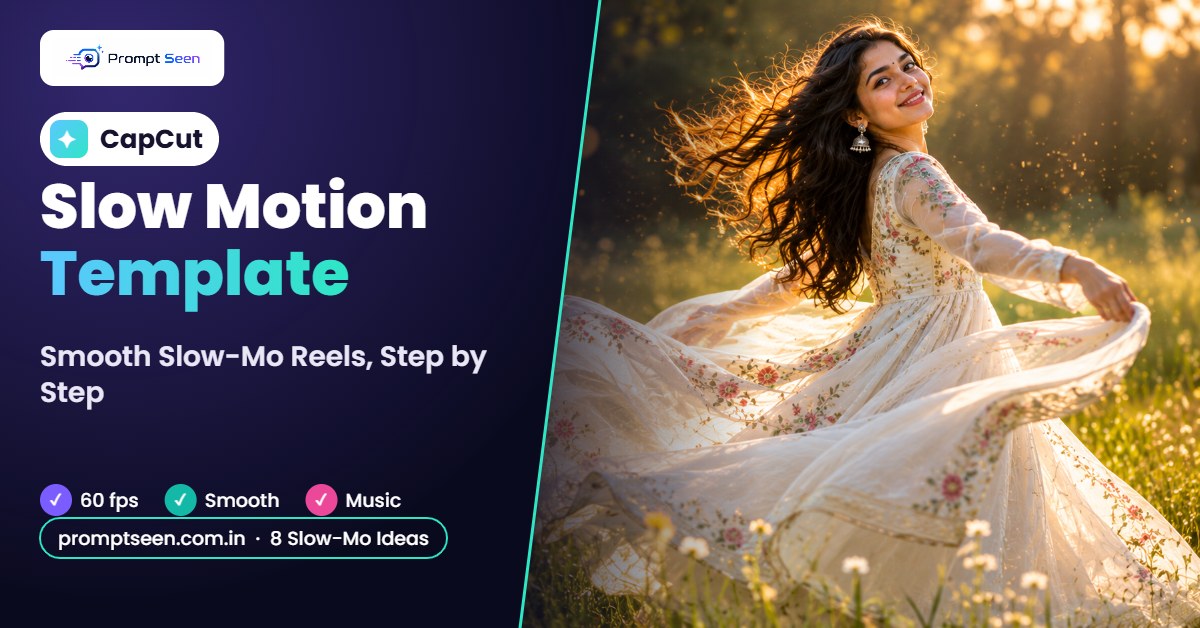
What Is Slow Motion?
Slow motion plays footage slower than real time, so a one-second moment might last two, four or even eight seconds on screen. It reveals details our eyes normally miss, such as water droplets, fabric movement or a facial expression, and adds emotion and drama to ordinary moments.
Why slow motion works so well
Slowing time tells viewers that a moment is important. It gives them space to notice beauty and feel emotion. That is why slow motion appears so often in wedding films, sports highlights, music videos and travel reels.
Real slow motion vs stretched footage
True slow motion comes from footage recorded at a high frame rate, such as 60, 120 or 240 frames per second. When played at normal speed, those extra frames create smooth slow movement. Slowing normal 30 fps footage stretches fewer frames, which can look choppy unless the editor creates in-between frames.
Smooth slow motion in editors
Many editors, including CapCut, offer a smooth slow motion or frame interpolation option. It creates extra frames between real ones to reduce stutter. It works well for moderate slowing, but very extreme slowing of 30 fps footage can still show wobbly artefacts.
When to use slow motion
Slow motion is ideal for moments of beauty, emotion or skill: a bride’s smile, a wave breaking, a perfect cover drive, steam rising from a cup. It is less suited to talking videos, tutorials or fast trends, where viewers want information or energy. Asking “what do I want people to notice?” before slowing a clip helps you choose the right moments.
In most edits, one to three slow moments are enough. They act like punctuation, giving the video rhythm and emotional peaks. Too many slow moments flatten the effect, and the video starts to feel sluggish rather than cinematic.
Frame Rate and Slow Motion
| Recorded frame rate | Smooth slow speed (approx.) | Good for |
|---|---|---|
| 30 fps | Down to about 0.5x with interpolation | Gentle slow motion |
| 60 fps | Down to about 0.5x natively | Most portrait and travel clips |
| 120 fps | Down to about 0.25x | Water, sports, splashes |
| 240 fps | Down to about 0.125x | Extreme detail moments |
The general rule: the more frames you record, the more you can slow down smoothly. If your phone has a slow-motion mode, use it for moments you know you will slow down later.
If you are not sure what frame rate a clip has, check its details in your gallery or editor. Knowing this before editing helps you choose a realistic slow-motion speed from the start, instead of discovering stutter after you have built the whole edit.
How to Make a Slow Motion Edit in CapCut
- Import your clip and select it on the timeline.
- Tap Speed and choose Normal for a constant speed or Curve for a ramp.
- Lower the speed to the value in your chosen recipe, such as 0.5x.
- Turn on smooth slow motion if available for cleaner results.
- Add music, a colour grade and ambient sound.
- Preview, adjust, and export at the highest quality.
36 CapCut Slow Motion Template Recipes
Recipes are grouped by subject. Speeds are starting points; adjust them to your footage and music.
Basic Slow Motion Recipes
Simple speed settings for smooth results.
Portrait and People Slow Motion Recipes
Make people look graceful and cinematic.
Nature and Water Slow Motion Recipes
Water, light and nature look magical when slowed.
Food and Product Slow Motion Recipes
Mouth-watering and premium-looking clips.
Sports and Action Slow Motion Recipes
Show skill and power.
Festival and Celebration Slow Motion Recipes
Make special moments last longer.
Travel and Lifestyle Slow Motion Recipes
Calm, beautiful moments from everyday life.
Walkthrough: A Slow Motion Chai Reel
Here is how to create a simple, satisfying slow-motion reel in about ten minutes.
Step 1: Film the pour
In soft window light, pour chai from a height into a glass or kulhad. Use your phone’s slow-motion mode or record at 60 fps or higher. Film three or four takes.
Step 2: Select the best take
Choose the take with the smoothest stream and most steam. Trim to the two seconds around the pour.
Step 3: Slow it down
Use the Chai Pour recipe at 0.3x with smooth slow motion. Add a curve so it starts at 1x and eases into slow motion as the stream hits the cup.
Step 4: Grade and sound
Apply a warm grade, add soft acoustic music and a quiet pouring sound. Add a short caption like “Monsoon evenings”.
Step 5: Export
Export at 1080p or higher. You now have a calm, premium-looking reel that works for a cafe, a food page or a personal post.
The same five steps work for a honey drizzle, a perfume spray or a cheese pull. Only the subject and music change.
Filming Tips for Better Slow Motion
Use bright light
High frame rates need more light. Film in daylight or bright indoor light, otherwise slow-motion footage becomes dark and noisy.
Keep the camera steady
Slow motion magnifies shake. Use a tripod, rest the phone on a surface or hold it with both hands close to your body.
Choose clear movement
Movement that has a clear shape, such as a splash, a spin or a jump, looks best when slowed.
Avoid flickering lights
Some indoor lights flicker at high frame rates, creating bands across the image. Natural light avoids this problem.
Using Your Phone’s Slow-Motion Mode
Most modern phones have a dedicated slow-motion setting in the camera app, often recording at 120 or 240 frames per second. Footage recorded this way can be slowed far more smoothly than normal video. Some phones automatically play part of the clip in slow motion; in your editor you can choose exactly which part to slow and by how much.
Slow-motion mode works best in bright light and for short moments, usually just a few seconds. Plan the moment you want, such as a splash or a jump, start recording a second before it happens and stop a second after. Short, focused clips are easier to edit and look more intentional.
Combining Slow Motion With Other Effects
Slow motion pairs beautifully with a few simple effects. A gentle push-in zoom adds depth, a light leak adds warmth, and a soft glow on highlights makes the moment feel dreamy. Keep effects subtle, because slow motion already draws attention. For energetic edits, combine a slow moment with fast velocity ramps before and after so the contrast feels powerful.
Slow Motion for Businesses
Slow motion makes products look premium. Cafes use it for pours and steam, bakeries for flour and icing, salons for hair flips and jewellery brands for sparkle and light. A five-second slow-motion clip with a clean background and soft music often looks more professional than a long, fast video, and it works well as an Instagram ad or website banner.
Exporting Slow Motion Without Losing Quality
Export at the highest resolution your footage supports and keep the project frame rate at 30 or 60 fps for smooth playback on social platforms. Avoid sending the final file through chat apps before posting, because compression can make fine details like water droplets and steam turn blocky. Upload the original export directly from your gallery for the best result.
If a platform reduces quality, try a slightly shorter clip or a brighter version; bright, simple scenes survive compression better than dark, detailed ones.
Slow Motion Styles Compared
| Style | Speed | Mood | Best for |
|---|---|---|---|
| Gentle dreamy | 0.5x | Calm, romantic | Portraits, travel |
| Dramatic peak | 0.25x on one moment | Intense, impactful | Sports, dance |
| Satisfying detail | 0.25x to 0.3x | Mesmerising | Food, water, products |
| Speed ramp | 1x to 0.4x to 1x | Dynamic | Reveals, transitions |
| Freeze moment | Near 0.1x briefly | Striking | Beat drops, jumps |
Music Choices for Slow Motion
| Mood | Music style | Pairs well with |
|---|---|---|
| Dreamy | Soft piano, ambient pads | Portraits, nature |
| Romantic | Warm strings | Weddings, couples |
| Epic | Orchestral build | Sports, mountains |
| Cosy | Acoustic guitar | Food, cafes |
| Festive | Gentle traditional instruments | Festivals |
Time the slowest moment to a pause, a swell or the start of a new musical phrase. When picture and sound breathe together, the slow motion feels deliberate and emotional.
If a song has lyrics, place the slow moment during an instrumental section so words do not compete with the visuals.
Common Problems and Fixes
Slow motion looks choppy
Quick fix
Record at a higher frame rate, turn on smooth slow motion and avoid extreme slowing of 30 fps footage.
Wobbly or warped edges
Quick fix
Interpolation can warp fast edges. Reduce the slow-motion amount or use footage recorded at a higher frame rate.
Footage is too dark
Quick fix
Film in brighter light. High frame rates capture less light per frame.
Music does not match
Quick fix
Choose calmer music for slow motion, or time the slow moment to a pause or swell in the song.
Making Slow Motion Feel Emotional
Slow motion is most powerful when it supports a feeling. Pair it with soft music, ambient sound and a warm or muted colour grade. Use it on human moments, a laugh, a hug, a glance, and viewers will feel the emotion more strongly than with any effect. In a CapCut slow motion template, restraint is what makes the slow moment memorable.
Try contrasting speeds too. A few seconds of normal-speed energy followed by one slow, quiet moment creates a strong emotional beat, which is why many wedding and travel films use this rhythm.
Posting Tips
- Keep slow-motion reels short, usually 7 to 15 seconds, so viewers replay them.
- Start with the most beautiful frame to stop the scroll.
- Add a short caption that explains the moment.
- Use calm, licensed music that suits the platform.
Keep a folder of your favourite slow-motion clips. They make excellent B-roll and transitions for future videos, saving you from filming new shots every time.
The Science of Slow Motion
Slow motion has been used in film for over a century, from early high-speed cameras to modern phones that record hundreds of frames per second. The Wikipedia article on slow motion explains how the technique works and how it developed.
Practise on everyday moments, and your eye for great slow-motion shots will grow quickly.
More CapCut Guides
For speed changes synced to music, read our CapCut velocity guide. For a full film look, see CapCut cinematic edits, and for beat-driven edits, try the CapCut beat template guide.
Film one slow-motion moment today, such as a pour, a splash or a twirl, and try two recipes on it. You will quickly see which speeds suit your style.
Related Guides
Frequently Asked Questions
How do I make slow motion in CapCut?
Select a clip, open Speed, lower it to a value such as 0.5x, turn on smooth slow motion if available, then add music and export.
Why does my slow motion look choppy?
Normal 30 fps footage has fewer frames to stretch. Record at 60 fps or higher and use smooth slow motion.
What is the best speed for slow motion?
0.5x works for gentle, natural slow motion, while 0.25x suits dramatic moments if the footage was recorded at a high frame rate.
Do I need a special camera for slow motion?
No. Most modern phones have a slow-motion mode or can record at 60 fps, which is enough for great results.
Is CapCut available in India?
CapCut has not been officially available on Indian app stores since 2020. Slow motion is available in other editors and in most phone cameras.
Should I slow down the whole video?
Usually not. Slow down only key moments so they stand out.