
CapCut Template Guide: 36 Prompts to Make Templates Your Own
This CapCut template guide explains how to find, use and customise templates so your reels look polished in seconds without looking like everyone else’s. You will find 36 copy-ready search keywords, customisation recipes, AI script prompts and occasion ideas, plus a step-by-step workflow and the best alternatives for creators in India.
Each prompt has a copy button. Use the search keywords in the template section, follow the recipes when customising, and paste the AI prompts into script to video.
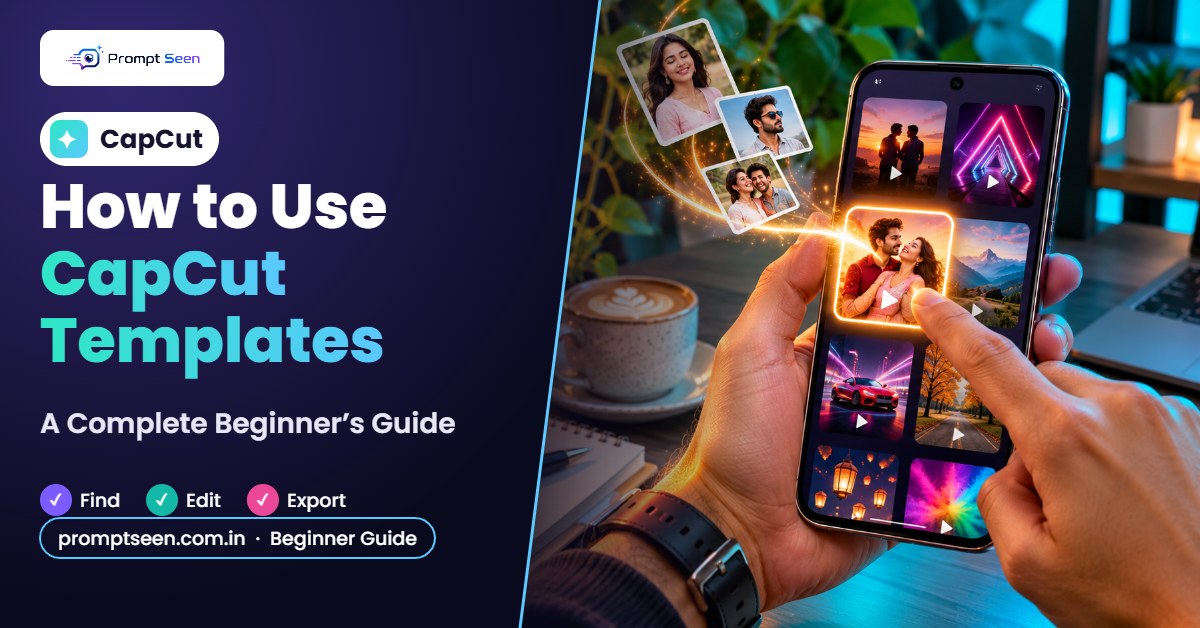
Whether you are a beginner or an experienced creator, the goal is the same: use templates for speed, then add enough of yourself that the video feels original.
What Are CapCut Templates?
A CapCut template is a ready-made edit created by a designer or another user. It already contains music, cuts, transitions, effects and text animations. You replace the placeholder clips or photos with your own, and the app fits them into the edit automatically. Templates made CapCut famous because they let anyone create trend-style videos in seconds.
Why templates are so popular
Short-form trends move fast. A template lets you join a trend while it is still hot, without spending an hour editing. For beginners, templates also teach how good edits are structured: where cuts land, how text appears and how effects follow the music.
The downside
Thousands of people may use the same template, so your video can look generic. The customisation recipes in this guide help you keep the speed of a template while adding your own identity.
Where templates appear
Templates can be found in the app’s template section, by tapping a template link on a video, or through search. Availability and features differ by country and version.
Types of templates you will find
| Type | What it looks like | Good for |
|---|---|---|
| Beat and photo dump | Fast cuts and flashes on the beat | Recaps and trips |
| Aesthetic | Soft fades, grain, calm music | Cafes, travel, lifestyle |
| Velocity | Speed ramps synced to music | Dance, cars, walking clips |
| Text and lyrics | Words appearing in sync | Quotes and songs |
| Occasion | Birthday, festival, anniversary designs | Wishes and greetings |
| Transformation | Before and after reveals | Fitness, beauty, home makeovers |
Knowing these types helps you search smarter. Instead of scrolling endlessly, search the type you need and then filter by mood and slot count. This simple habit is one of the most useful tips in this CapCut template guide.
How to Use a CapCut Template Step by Step
- Open the Templates section or tap a template link from a video.
- Search a keyword from the list below and preview a few options.
- Check the number of slots, the length and the song.
- Tap Use template and select your clips or photos in order.
- Edit text slots and preview the result.
- Use the option to edit further if you want to adjust timing, then export in high quality.
36 CapCut Template Prompts and Recipes
Prompts are grouped by purpose: finding templates, customising them, generating drafts with AI and choosing ideas for occasions and businesses.
Template Search Keyword Prompts
Type these into the template search to find the right style fast.
Template Customisation Prompts
Recipes for making a popular template look like your own.
AI Script to Video Prompts
When no template fits, generate your own draft.
Template Ideas by Occasion
Ready recipes for common occasions.
Business Template Prompts
Templates that help small businesses post consistently.
Advanced Template Workflow Prompts
For creators who want more control.
Creator Niche Template Prompts
Template choices that fit popular niches.
Walkthrough: A Weekend Recap in Five Minutes
Here is a practical example that shows how this CapCut template guide works in real life. Imagine you spent a weekend at a hill station and have about 20 photos and clips on your phone.
Step 1: Pick your best media
Choose the 10 strongest photos and clips. Include a mix of wide scenery, close-up details such as food or coffee, and one or two shots with people. Variety keeps a fast edit interesting.
Step 2: Find a matching template
Search “photo dump beat” or “travel recap” and look for a template with about 10 slots and a song that matches the mood. Preview a few before deciding.
Step 3: Fill the slots in story order
Arrange media from arrival to departure. Put the most stunning view on the slot that lands on the drop.
Step 4: Customise
Change the text to something like “48 hours in the mountains”, apply one warm filter to all clips and add a small handle in the corner.
Step 5: Export and post
Export in 1080p, write a short caption with the location and post at a time your audience is active. The whole process takes around five minutes.
Once you are comfortable, the same workflow works for festivals, birthdays and business updates.
Choosing the Right Template
| Check | Why it matters | What to look for |
|---|---|---|
| Slot count | Too many slots means repeats | Matches the number of photos you have |
| Duration | Platforms and attention spans vary | 15 to 30 seconds for most reels |
| Music mood | Sets the emotion | Matches your content |
| Media shape | Wrong shape means bad crops | Vertical slots for phone photos |
| Text slots | Personalisation | Editable text for hooks and names |
Template Quality Checklist
- Does the music fit your content and the platform rules?
- Are all text slots replaced with your own words?
- Do the photos have a consistent colour look?
- Is the best photo or clip on the beat drop?
- Is the export at least 1080p?
- Have you watched the final video once with sound and once without?
Running through this checklist before posting takes less than a minute and catches the most common mistakes, such as leftover placeholder text or a blurry export.
Making a Template Look Original
Change every text slot
Never post with default text. Replace it with your own hook, names, places or dates.
Use a consistent colour look
Apply the same filter to all clips. Consistent colour hides the fact that photos came from different days and cameras.
Put your best media on the drop
The beat drop is where viewers pay most attention. Place your strongest photo or clip there.
Add one personal element
A voice note, a handwritten sticker, your logo or a real clip of your face makes the template unmistakably yours.
Small touches like these are what separate a forgettable template post from one that people share.
Learning Editing From Templates
Templates are also free editing lessons. When you find one you love, watch it slowly and notice where the cuts happen, how long each clip stays on screen, how text enters and leaves, and how effects line up with the music. Then try to recreate a similar edit from scratch. Within a few weeks, you will understand rhythm and pacing well enough to create your own signature style, which is the long-term goal of any CapCut template guide.
Templates for Businesses
For shops, cafes, salons and coaches, templates are a simple way to post consistently without hiring an editor. Choose two or three templates that suit your brand, use them repeatedly with new photos, and keep your logo and colours the same. Customers start to recognise your posts instantly, which builds trust over time.
Templates vs Editing From Scratch
| Approach | Speed | Originality | Best for |
|---|---|---|---|
| Template only | Very fast | Low | Quick trend posts |
| Template plus customisation | Fast | Medium | Most creators |
| AI script to video | Fast | Medium | Faceless content |
| Editing from scratch | Slow | High | Signature content |
Most successful creators mix approaches: templates for quick trend posts, and their own edits for content that defines their style.
Posting Strategy for Template Reels
Templates make it easy to post often, but quantity alone does not grow an account. Use templates for timely trends and quick updates, and balance them with original content that shows your personality, knowledge or work. A simple weekly rhythm works well for most creators.
| Day | Content type | Template use |
|---|---|---|
| Monday | Original tip or talking video | Hook template for the first seconds |
| Wednesday | Trend reel | Full template with customisation |
| Friday | Recap or photo dump | Beat template |
| Sunday | Personal or behind the scenes | Calm aesthetic template |
Watch which posts bring the most saves, shares and follows, and adjust your mix. Over time you will learn which template styles your audience enjoys most.
Safety and Copyright With Templates
Templates often include popular songs, and music rights differ between platforms and countries. If a song is muted after posting, replace it with a licensed sound from the platform’s library. Only use photos and clips that you own or have permission to share, and avoid templates that ask you to download unknown files or visit suspicious links.
Remember that a template is only the frame. The photos, words and moments you put inside it are what make people stop, watch and share.
Common Problems and Fixes
Template not loading
Quick fix
Update the app, check your connection, or choose another template; some templates are removed or restricted by region.
Photos are cropped badly
Quick fix
Adjust the crop inside each slot or choose a template designed for your photo shape.
Music is muted after posting
Quick fix
Some songs are restricted on certain platforms. Export without music and add a licensed sound inside the platform.
Video looks blurry
Quick fix
Export in 1080p and use sharp, bright photos.
If a template keeps failing, it is often quicker to recreate the idea manually with beat markers and a few effects than to keep retrying.
Keep a backup of your original photos and clips in case you need to rebuild an edit in another app.
Alternatives for Creators in India
| App | Templates or similar | Good for |
|---|---|---|
| Instagram Edits | Editing tools built for Reels | Instagram creators |
| VN | Templates and timeline editing | Beginners and vloggers |
| InShot | Simple editing, music and text | Everyday edits |
| Canva | Video templates and designs | Branded reels |
| Filmora | Templates and AI tools on desktop | YouTube creators |
For a deeper look at AI features, read our CapCut AI tools guide. For specific styles, see the CapCut beat template, CapCut status template and CapCut velocity guides.
For background on the app and its history, see the Wikipedia article on CapCut.
Save the templates you like to a favourites list so you can find them again quickly when the right photos come along.
Related Guides
Frequently Asked Questions
What is a CapCut template?
A ready-made edit with music, cuts, transitions and text where you replace placeholder clips or photos with your own.
How do I use a CapCut template?
Find a template, tap Use template, select your media in order, edit the text and export.
How do I make a template look original?
Change all text, use a consistent colour look, put your best media on the drop and add a personal element such as a voice note or logo.
Why is my template not loading?
It may be removed, restricted in your region or need an app update. Try another template.
Is CapCut available in India?
CapCut has not been officially available on Indian app stores since 2020. Alternatives include Instagram Edits, VN and InShot.
Can I make my own template?
You can recreate a style in the editor and save it as a project to reuse for future posts.
Amazing promts