New Year 2027 VN Code Template: Create Countdown Reels with Trending QR Codes and Easy Editing Steps
A New Year 2027 VN code template is a ready-made VN Video Editor project that you open with a QR code or a template link, then fill with your own photos and clips. For a midnight countdown reel, start with VN’s official Countdown to 2027 template, swap in your best moments, edit the text and export in 9:16 for Instagram Reels. Below you will find 13 official VN templates we checked on 26 November 2026, with step-by-step editing instructions.
VN code, VN template and VN QR code: what is the difference?
People use these three terms for the same idea, which causes confusion when you first search for New Year templates. Here is the short version.
| Term | What it actually is | How you open it |
|---|---|---|
| VN template | A reusable VN project with locked timing, transitions, text styles and replaceable media slots. | From VN’s Discover tab, a template link, a QR code or a .vnt file. |
| VN code | A scannable image that points VN to a template file stored online. | Tap the Scan icon in the VN app and scan or import the image. |
| Official template link | A template page on VN’s own website, published by VN. | Tap Use Template on the page; it opens directly in the app. |
In practice, a “VN code template” is simply a template you open through a code. The official links below skip the scanning step, which makes them faster on a phone. If you prefer scanning, the QR section later in this guide explains how to do it safely.
13 official New Year VN templates you can use for 2027
We grouped the templates by the job they do in a New Year post. Countdown designs suit the last minutes of 31 December, story formats suit midnight wishes, and post formats work for a greeting you pin to your grid on 1 January.
Countdown and goodbye-2026 templates
1. Countdown to 2027
The most popular 2027-specific template in VN’s library right now. Its short length makes it ideal as the opening beat of a longer reel: let the countdown run, then cut to your own fireworks or family clip at midnight.
2. Goodbye 2026
A farewell-style template for the last evening of the year. Use it for a quiet “thank you, 2026” message before your celebration posts, and pick photos with warm light so the mood stays soft.
3. Black Gold Modern Happy New Year
A dark background with gold accents gives this design a party-invitation feel. VN tags it with “2026”, so preview it carefully and replace any printed year with 2027 before exporting.
Story-format wishes for midnight
4. Happy New Year Instagram Story (28.5K uses)
The most used of VN’s New Year story designs. Story layouts give you room for one strong photo and a short wish, which is exactly what people tap through at midnight.
5. Happy New Year Instagram Story (25.5K uses)
A second story layout from the same official set. Open both previews side by side and choose the one whose colours match your photo, rather than forcing a photo into a palette that clashes.
6. Happy New Year Instagram Story (15.6K uses)
Useful when you want to post several stories in a row. Using three designs from one official set keeps your stories consistent while still giving each frame a different look.
7. New Year Wishes
A wish-focused template with a winter theme. It works well for family greetings you forward on WhatsApp Status as well as Instagram, because the message is the hero rather than heavy effects.
Post-format greetings for 1 January
8. New Year’s Blue Fireworks Instagram Post
Blue fireworks over a clean layout make this a good choice for a calm, classy greeting. Pair it with a caption that thanks your followers rather than a long list of resolutions.
9. Happy New Year Festive Warm Instagram Post
Warm tones suit indoor family photos taken under fairy lights or diyas. If your photo is dim, brighten it slightly in VN before placing it, or the warm grade can look muddy.
10. Happy New Year Instagram Post
A simple greeting layout for brands, creators and small businesses. Replace the sample text with your page name and a short offer or thank-you line.
11. New Year Instagram Post
A less common design, which helps if you want your greeting to look different from everyone else’s feed on 1 January.
Party and memory templates
12. New Year Party
Built for celebration clips: dancing, cake cutting, friends shouting the countdown. Short, energetic video clips work better here than still photos.
13. Sparkling Moment Film Collage Instagram Story
A film-strip collage that turns several small moments into one frame. Use it for a “best of the night” story the morning after the party.
How to use a New Year 2027 VN code template for a countdown reel
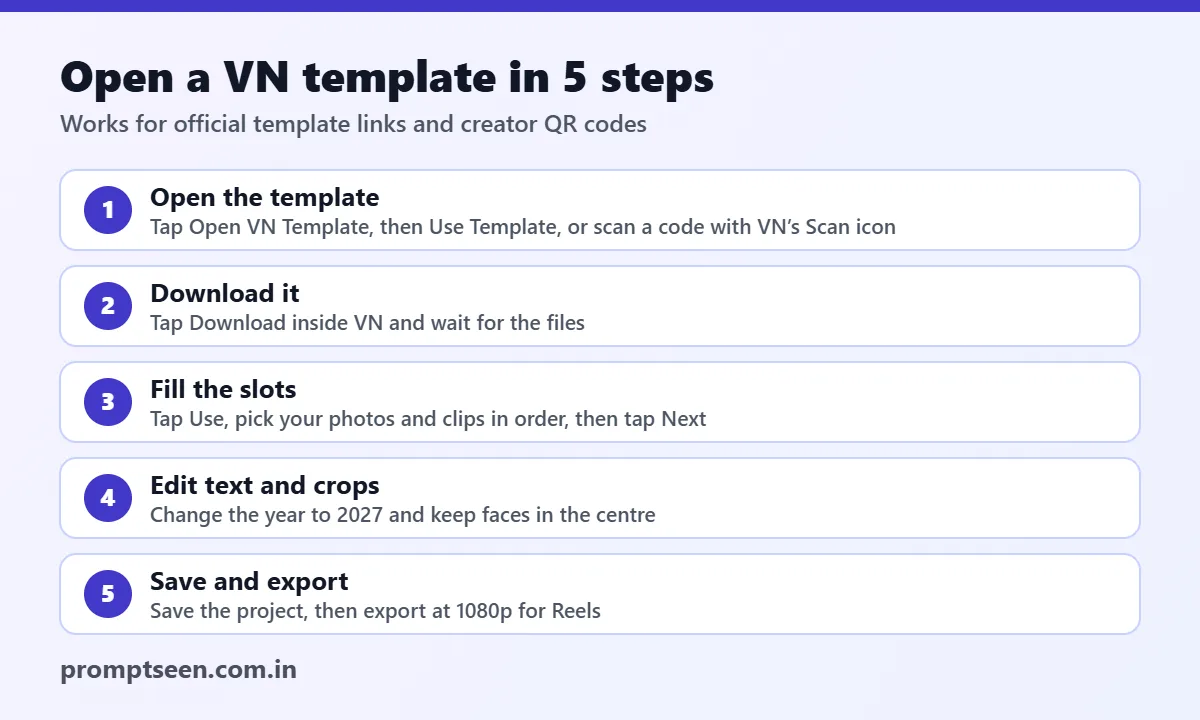
These steps follow VN’s official template workflow, adjusted for a countdown reel. The whole process takes about ten minutes once your clips are ready.
- Collect your clips first. Choose six to ten photos or short videos from 2026, plus one clip you will record at midnight. Keep everything in one album so you are not scrolling while the template waits.
- Open the template. Tap Open VN Template on a card above, then tap Use Template. On a phone with VN installed, the template opens inside the app. Without the app, install VN first from your app store.
- Download it. Inside VN, tap Download and wait for the template files to finish.
- Tap Use and fill the slots. Select a photo or video for each slot, then tap Next. Put your strongest image in the first slot, because that frame decides whether people keep watching.
- Edit the text. Replace any sample year with 2027 and add your own message. Short lines such as “Hello 2027” read better on small screens than full sentences.
- Adjust each clip. Tap a clip to use Replace, Filter, Crop or Volume. Crop faces so they sit in the centre third of the frame, away from Instagram’s caption area at the bottom.
- Save the project. Tap Save so the project appears under Projects on VN’s home screen. This lets you swap in your midnight clip later without starting again.
- Export. Tap Export. Choose Manual if you want to set resolution, frame rate and bitrate yourself; 1080p at 30 fps is a sensible default for Reels.
- Add music in Instagram, if needed. If the template’s audio does not suit your account, mute it in VN and pick a track from Instagram’s own music library when you upload, so the song is licensed for the platform.
- Schedule or post at midnight. Save the final video to your gallery and post it a few minutes after 12:00, when people start opening the app.
VN explains the same template steps in its official guide, How to Use VN Templates, which is worth bookmarking if menus move after an app update.
Using creator VN QR codes safely
Many New Year VN codes are shared as QR images by independent creators on Instagram and template websites. VN supports these through its scanner, but because they are not official, a little care helps.
How to scan a VN QR code
- Save the complete QR image to your gallery. A cropped screenshot often fails to scan.
- Open VN and tap the Scan icon.
- Scan the code, or import the saved image. VN detects the template and starts the download.
- If the template file is stored on Google Drive, VN may ask you to confirm the download before it opens.
What to check before you use a creator code
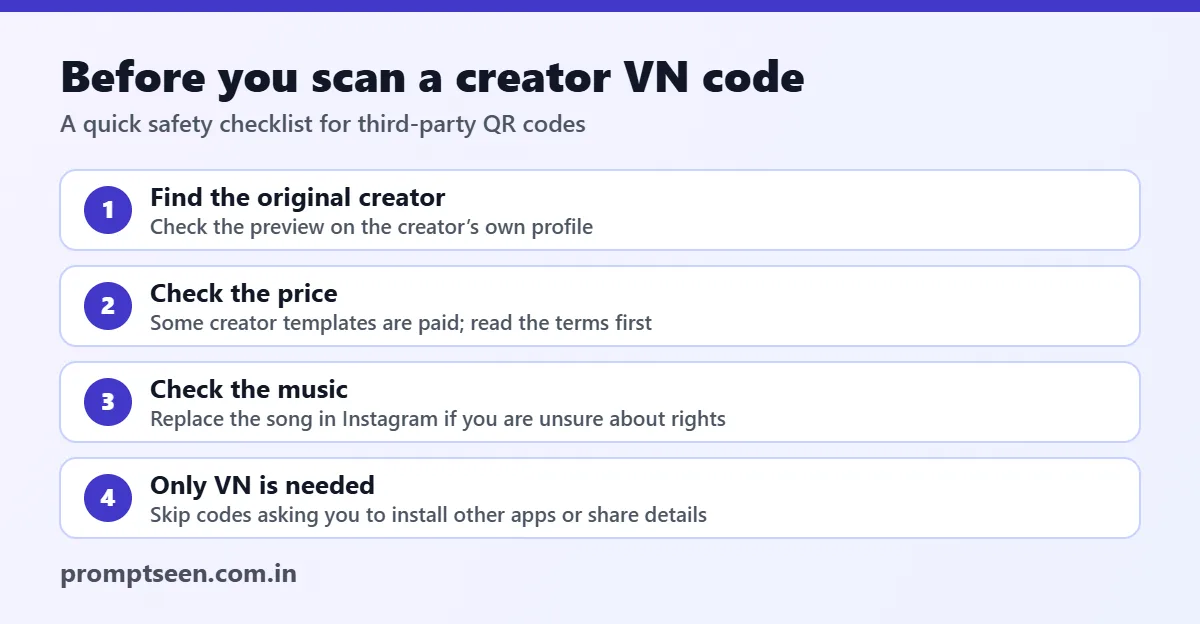
- Is the creator the original source? Look for the template preview on the creator’s own profile. Reposted codes sometimes point to files that have been removed.
- Is the download free? Some codes lead to paid files. That is fine if you choose to buy, but read the terms before paying.
- Does the music come with it? A template may include a song that you cannot use on every platform. When in doubt, replace the audio inside Instagram.
- Does it ask for anything strange? A VN template only needs the VN app. Skip any code that asks you to install another app or enter personal details.
Write a better caption for your 2027 reel
A template handles the visuals, but the caption is where your personality shows. Copy one of these prompts into ChatGPT or Gemini, add your details, and edit the result so it sounds like you.
Warm family caption
Write five short New Year 2027 captions for an Instagram Reel showing my family celebrating at home in India. Keep each caption under 15 words, warm and simple, with at most one emoji. Avoid clichés like “new year, new me”.
Friends party caption
Write five fun New Year 2027 captions for a party reel with my college friends. Use light humour, no more than 12 words each, and include one caption in Hinglish.
Goodbye 2026 reflection
Write a 40-word Instagram caption saying goodbye to 2026 for a memories reel. Mention gratitude, one lesson learned and excitement for 2027. Keep the tone honest, not dramatic.
Small business greeting
Write three New Year 2027 greeting captions for my small business Instagram page that sells [your product]. Thank customers, mention one thing we are excited to offer in 2027, and end with a soft call to action.
Editing tips that make a template look original
Thousands of people use the same popular template, so small choices decide whether your reel looks fresh or familiar.
- Match the template’s pace. A six-second countdown needs quick, clear images. Save slow, emotional clips for longer templates such as Goodbye 2026.
- Use one colour mood. Mixing harsh tube-light photos with golden-hour shots looks messy. Apply the same VN filter to every clip, then lower its strength.
- Keep text inside the safe area. Instagram covers the bottom and right edges with buttons. Move important text towards the centre.
- Record your midnight clip in vertical. Horizontal fireworks footage gets cropped hard in a 9:16 template.
- Do not stack two templates. If you want a longer video, edit one template, export it, then join it with your own clips in VN’s normal editor.
If you also make reels from typed ideas rather than templates, our guide on turning a text prompt into a reel shows a different workflow that pairs well with VN.
A simple posting plan for the New Year week
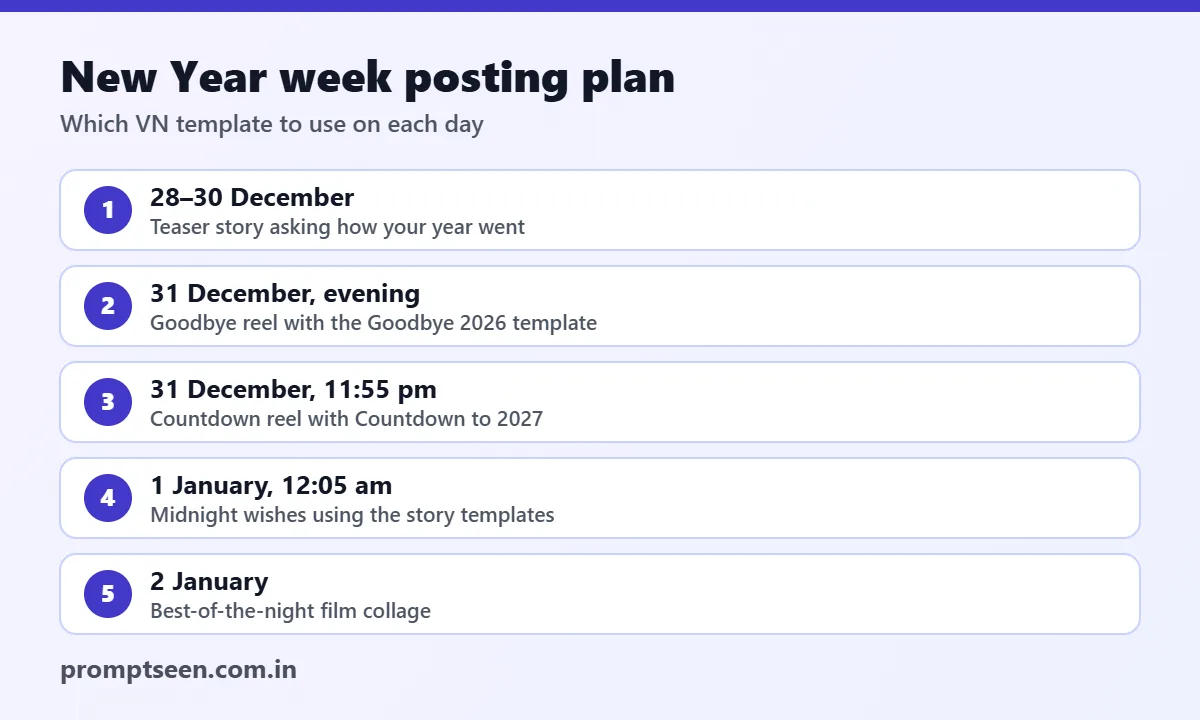
| Date | What to post | Template to try |
|---|---|---|
| 28–30 December | A teaser story asking followers how their year went | Any story-format template with a question sticker added in Instagram |
| 31 December, evening | A goodbye reel thanking 2026 | Goodbye 2026 |
| 31 December, 11:55 pm | Countdown reel | Countdown to 2027 |
| 1 January, 12:05 am | Midnight wishes stories | Happy New Year Instagram Story set |
| 1 January, daytime | A clean greeting post for your grid | Blue Fireworks or Festive Warm post |
| 2 January | “Best of the night” collage | Sparkling Moment Film Collage |
Prefer CapCut-style templates? Our collection of Instagram Reels template ideas covers formats that you can rebuild in VN or other editors.
Troubleshooting common VN template problems
| Problem | Likely cause | Fix |
|---|---|---|
| Use Template does nothing | VN is not installed, or the link opened in an in-app browser | Install VN, then open the template page in Chrome or Safari and tap again. |
| QR code will not scan | The image is cropped, blurred or a screenshot of a screenshot | Save the original full image and import it through VN’s scanner. |
| Download stops halfway | Weak connection or a removed cloud file | Switch to Wi-Fi and retry; if it still fails, the creator may have deleted the file. |
| The year still shows 2026 | The text layer is fixed in that template | Choose a year-neutral template, or tap the text layer to see whether it is editable. |
| Faces are cut off | Template slots use a fixed crop | Tap the clip, use Crop, and move the face to the centre. |
| Exported video looks soft on Instagram | Low export settings or repeated compression | Export at 1080p in Manual mode and upload the original file, not a forwarded copy. |
Frequently asked questions
Is there an official New Year 2027 VN template?
Yes. VN’s library lists Countdown to 2027, which showed 321.3K uses when we checked on 26 November 2026. More 2027 designs are likely to appear in December.
Is VN free to use for templates?
VN is free to download. Some templates and features may be linked to VN’s paid plan, so check the template inside the app before you plan around it. Third-party VN codes can also be paid; read the creator’s terms first.
Does VN work in India?
VN Video Editor is commonly used in India as an alternative to CapCut, which is not officially available on Indian app stores. Download VN only from the official Google Play or Apple App Store listing.
Can I use these templates on WhatsApp Status?
Yes. Export the video to your gallery and upload it as a status. Story-format templates fit WhatsApp Status best because they are vertical.
Why does a template show a different year?
Some designs were created for an earlier New Year. If the year text is not editable, pick a year-neutral design from the list above instead.
Can I make my own New Year VN code?
Yes. VN lets you turn a finished project into a template and share it as a VN code. You will need to upload the template file to a cloud service and keep it available so others can download it.
Final thoughts
Start with Countdown to 2027 for the midnight moment, use a story template for wishes, and finish with a clean greeting post on 1 January. Keep your photos consistent, edit every year label, and add music through Instagram if you are unsure about rights.
For more step-by-step guides on AI photo prompts, reel templates and editing apps that work well for Indian creators, browse the latest articles on Prompt Seen.