Trending CapCut Template or Your Own Edit: 35 Ideas to Get More Views
Should you use a trending CapCut template or create your own edit? Both can bring views, but in different ways. Trending templates help reels get discovered quickly, while original edits build a recognisable style and loyal followers. This guide compares both approaches and gives you 35 copy-ready ideas for spotting trends early, customising templates, creating original reels, mixing both and testing what works for your audience. You can find more guides like this on Prompt Seen.
Each idea has a copy button. Use it as a plan, a prompt or a recipe in your editor.
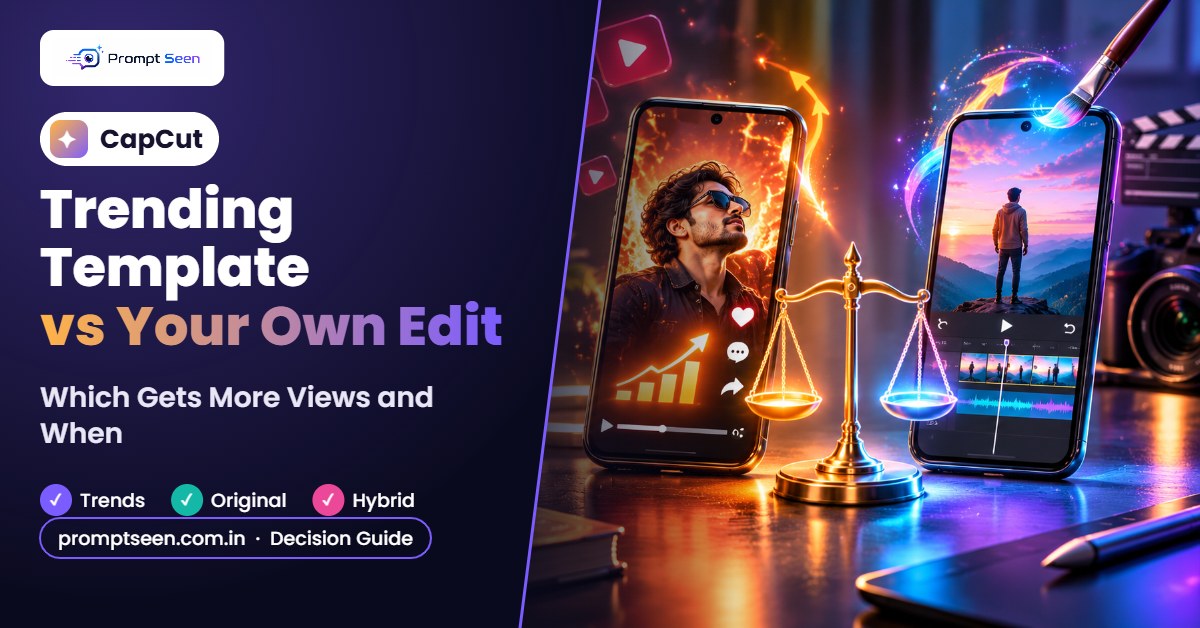
Trending Template vs Original Edit: The Quick Answer
Trending templates usually win for quick discovery, because platforms often push audio and formats that many people are engaging with. Original edits usually win for long-term growth, because they make your profile memorable and give people a reason to follow you rather than the trend. The smartest creators use both: trends to be found, originals to be remembered.
| Factor | Trending template | Original edit |
|---|---|---|
| Speed to make | Very fast | Slower |
| Discovery potential | High while the trend is rising | Depends on hook and quality |
| Uniqueness | Low unless customised | High |
| Follower loyalty | Moderate | High |
| Lifespan | Short, days to weeks | Longer, can keep getting views |
| Best for | Reach and testing | Brand and community |
Why Trends Get Views
When a template or audio is trending, platforms may show it to more people because it is already proving engaging. Viewers also recognise the format, which makes them more likely to watch. Joining early, before a trend peaks, gives the best chance of extra reach.
Why Original Edits Build Followers
A follower chooses you, not a trend. Original reels show your personality, knowledge and style. They are more likely to be saved and shared because nobody else has posted the exact same thing.
The Life Cycle of a Trend
Most trends follow a similar path. First, a few creators experiment with a new audio or format. Then it spreads to more creators in different niches, which is the best time to join. Next it peaks, appearing everywhere and attracting millions of uses. Finally it fades, and viewers start to scroll past it. Recognising where a trend sits in this cycle helps you decide whether to join, adapt it or skip it.
| Stage | What you see | What to do |
|---|---|---|
| Emerging | A few creators, low usage | Watch and save |
| Rising | Usage growing across niches | Join now with your twist |
| Peak | Everywhere, huge usage | Join only with a strong unique angle |
| Fading | Viewers bored, fewer new uses | Skip or parody |
How to Use These Ideas
- Spend ten minutes a day spotting trends with the research prompts.
- Customise trending templates so they fit your niche and style.
- Post at least one original reel for every two trend reels.
- Test different approaches and compare results after 48 hours.
- Double down on what your audience responds to.
35 Trending CapCut Template and Original Edit Ideas
Ideas are grouped by strategy. Use them together to build a balanced content plan.
Trend Spotting Prompts
Find what is rising before it peaks.
Trending Template Customisation Prompts
Use the trend, add your identity.
Original Edit Prompts
Build reels without a template.
Hybrid Reel Prompts
Mix trend and originality.
Testing and Analytics Prompts
Learn what works for your audience.
Niche Trend Prompts
Trends adapted for specific creators.
Trend Recovery Prompts
When a trend is already old.
Festival and Season Trend Prompts
Trends that come back every year.
Use this list as a menu rather than a checklist. Pick two or three ideas that suit your niche each week and build from there.
Signs a Trend Is Rising
- The audio or template has a small but growing number of uses.
- Creators in different niches are starting to use it.
- It appears repeatedly on your feed over a few days.
- Comments on trend reels ask “Which template is this?”.
When you see these signs, act within a day or two. Trends move quickly, and early participation usually brings the best results.
Making a Trending CapCut Template Feel Original
The fastest way to get the benefits of both approaches is to customise every trending template you use. Replace the hook with your own clip, film in your own location, use your colour grade and rewrite the text in your voice. Viewers will recognise the trend but remember you.
Small changes add up: a new hook, a local setting and your own caption are often enough.
A Balanced Weekly Plan
| Day | Content | Purpose |
|---|---|---|
| Monday | Original tutorial or tip | Value and saves |
| Tuesday | Customised trending template | Reach |
| Thursday | Hybrid reel | Reach plus identity |
| Saturday | Trending audio with original visuals | Discovery |
| Sunday | Behind the scenes or story | Connection |
When to Choose Each Approach
Choose a trending template when your goal is reach: you are a new account, you want to test a topic or you need a quick post on a busy day. Choose an original edit when your goal is depth: you want to teach something, tell a personal story, show your work or build a recognisable style. Many successful creators decide the goal first and then the format, rather than following trends automatically.
| Goal | Better choice | Why |
|---|---|---|
| Grow a new account | Trending template | Faster discovery |
| Teach or explain | Original edit | More value and saves |
| Show a product | Hybrid | Trend hook, original details |
| Build community | Original edit | Personality and trust |
| Test a new topic | Trending template | Quick feedback |
What Indian Creators Can Learn From Trends
Many trends that go viral in India mix global formats with local flavour, such as a Western transition trend done in sarees and kurtas, or a dance trend set to a Punjabi track. This shows that the best trend content is often a cultural remix. Look at what is trending globally and ask how you can make an Indian version, using your language, festivals, food or city.
Write down your goal before every post; it makes the format choice obvious.
Measuring What Works
Views alone do not tell the full story. Look at saves, shares, comments, follows from the reel and average watch time. A trend reel might get many views but few follows, while an original reel might get fewer views but more followers and saves. Both numbers matter for different goals.
| Metric | What it tells you |
|---|---|
| Views | How widely the reel was shown |
| Watch time | How engaging the content was |
| Saves | How useful or memorable it was |
| Shares | How relatable it was |
| Follows | How much people want more from you |
Building a Recognisable Style
Whether you use trends or originals, a consistent style helps viewers recognise you instantly. Choose a colour look, a caption font and a type of hook, and use them on every reel. Over time, people will know a reel is yours before they see your name, which is exactly the loyalty that turns viewers into followers.
- Pick one or two colour looks and stick with them.
- Use the same caption font and position.
- Start reels with a similar type of hook, such as a question or a bold claim.
- End with a consistent call to action, such as “Follow for more”.
Review your last ten reels every month and note which approach brought the most followers, not just views.
Common Mistakes
Using trends that do not fit your niche
Quick fix
Adapt the trend to your niche or skip it. Off-topic trends can bring views but confuse your audience.
Joining too late
Quick fix
Check trends daily and act on rising ones quickly.
Posting only trends
Quick fix
Mix in original reels so followers know what makes you different.
Copying without credit or change
Quick fix
Always add your own twist, and credit creators when you directly respond to their content.
Staying Safe With Trends
Not every trend is a good idea. Avoid challenges that involve risk to your safety, public nuisance, mocking people or sharing private information. Be cautious with trends that use sensitive topics or copyrighted material without licence. A trend is only worth joining if it fits your values and keeps you and others safe.
Understanding Virality
Some videos spread rapidly through sharing, a phenomenon that researchers have studied for years. The Wikipedia article on viral videos explains common patterns behind content that spreads widely, which can help you think about why certain trends take off.
There is no single right answer to the trend versus original debate. The right mix depends on your goals, your niche and your audience. Start with a balance, measure the results honestly and adjust. Creators who keep testing and learning are the ones who grow steadily over time.
More CapCut Guides
To find new trends early, read the CapCut new trend template guide. For trending effects, see CapCut trending effects, and for a full overview, the CapCut template guide.
Use trends to be found and originals to be remembered. Start this week by customising one trending CapCut template and posting one original reel, then compare the results.
Related Guides
- CapCut new trend template
- CapCut trending effects
- CapCut template guide
- CapCut Instagram Reels template
Frequently Asked Questions
Do trending CapCut templates get more views?
They often get faster initial reach while the trend is rising, but original edits tend to build more followers over time.
Should I only use trending templates?
No. Mix trends with original reels so your profile has a clear identity.
Is CapCut available in India?
CapCut has not been officially available on Indian app stores since 2020. Creators in India can use Instagram Edits, VN, InShot or Instagram’s Reels editor.
How do I find trends early?
Look for audio and templates with small but fast-growing usage that appear across different niches.
How do I make a trending template original?
Replace the hook, film in your own location, apply your colour look and rewrite the text in your own voice.
Which metrics should I track?
Track views, watch time, saves, shares and follows from each reel.